
Leyia
AI-powered legal assistant platform
The challenge
The Challenge Leyia, an AI-powered legal assistant, began as a visionary concept that lacked a structured roadmap.
My role was to lead the end-to-end product strategy, transforming fragmented ideas into a cohesive digital experience. I provided the clarity needed to bridge complex legal requirements with an intuitive interface, delivering everything from the brand identity and UX architecture to a high-fidelity prototype and the website development.
- Role: Lead UX/UI Designer & Researcher, Website Developer.
- Framework: Design Thinking.
- Tools: Figma, Webflow, Adobe Creative Cloud.
- Platform: Mobile & Desktop App, Responsive Website.
Skills
Project Organization
To manage the multiple moving parts, I used Trello to establish clear phases, deadlines, and deliverables. Breaking complex challenges into manageable tasks was essential for maintaining focus and ensuring a high-quality result.
Brand Strategy
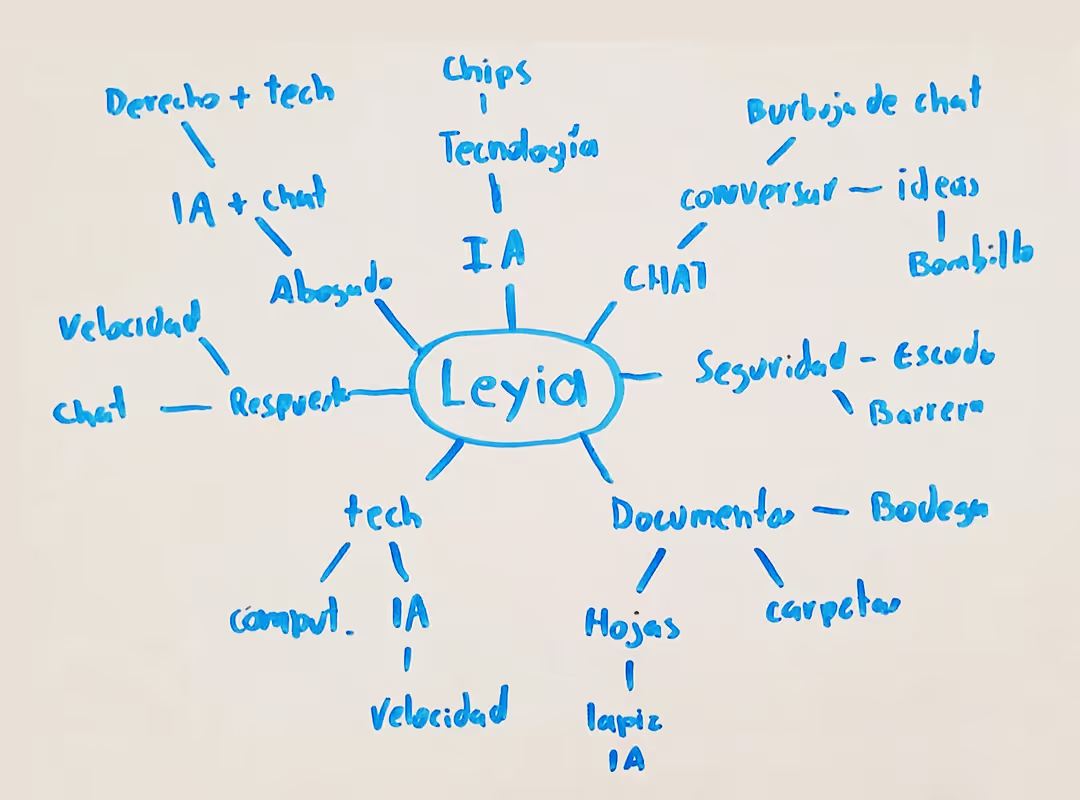
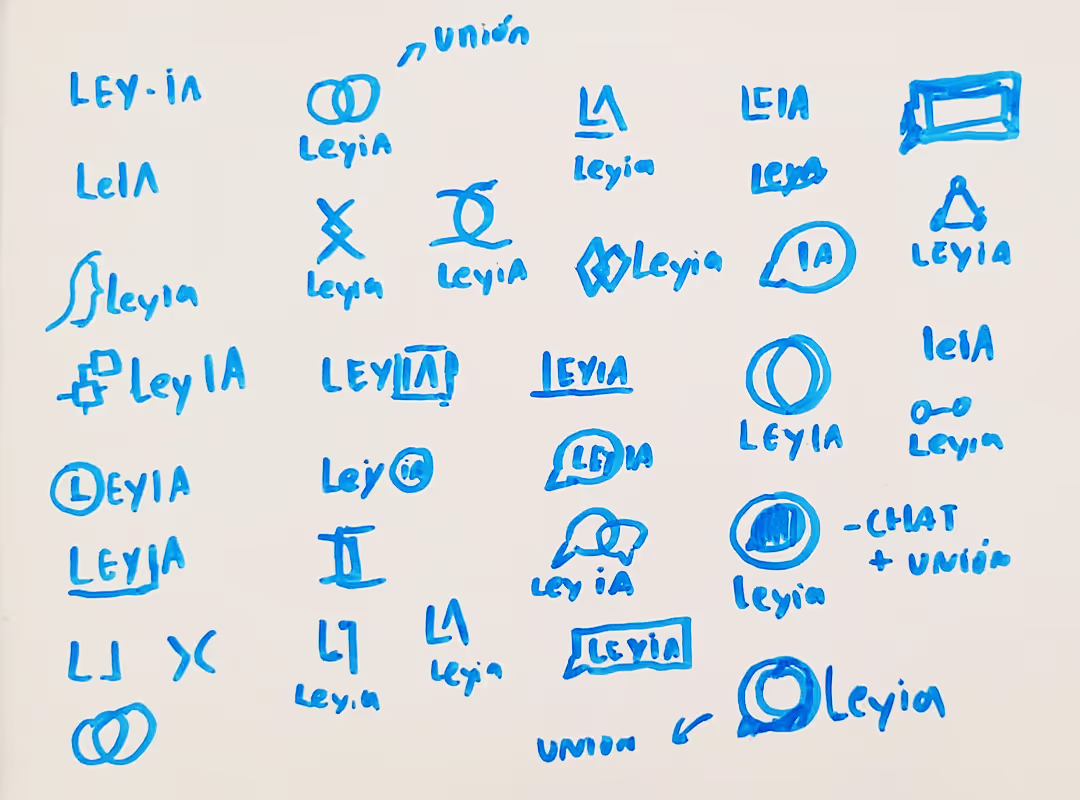
To ensure brand alignment from day one, I led a Brand Strategy phase with the founders and legal team. We defined the mission, values, and voice, then translated these into a full visual identity, including the logo, palette, and typography.
Motto: Professional legal expertise for everyone.


Digital Product Design
Once the brand identity was defined, I moved on to designing the app. I followed the Design Thinking framework to guide the product design process through five key stages: Empathize, Define, Ideate, Prototype, and Test.
1. Empathize
To understand the challenges of legal management in Colombia, I started by gathering real-world data from a competitive audit and interviews with potential users.
- Competitive Audit: I began with a Competitive Audit to build a deep understanding of the legal-tech industry. Analyzing the strengths and weaknesses of current solutions allowed me to identify market gaps and sharpen my focus for the interview phase, ensuring I asked the right questions to address unmet user needs.
- User Interviews: I conducted five in-depth interviews with people who had real needs for legal solutions.
Qualitative interviews
I conducted the initial interviews using open-ended questions to explore participants’ experiences with legal problems and how they typically approach solutions.

“I’d love to have a legal assistant that can answer all my questions and help me with legal documents, without costing me a fortune".
- Andres, business owner.

“I just need a contract that gives me peace of mind. I need things explained to me in plain Spanish, and I need the tool to guide me step by step.”
- Camilo, apartment owner and landlord.

“If AI gives me a high-quality draft in five minutes, I can triple my productivity. But it has to be 100% reliable.”
- Sofia, lawyer.
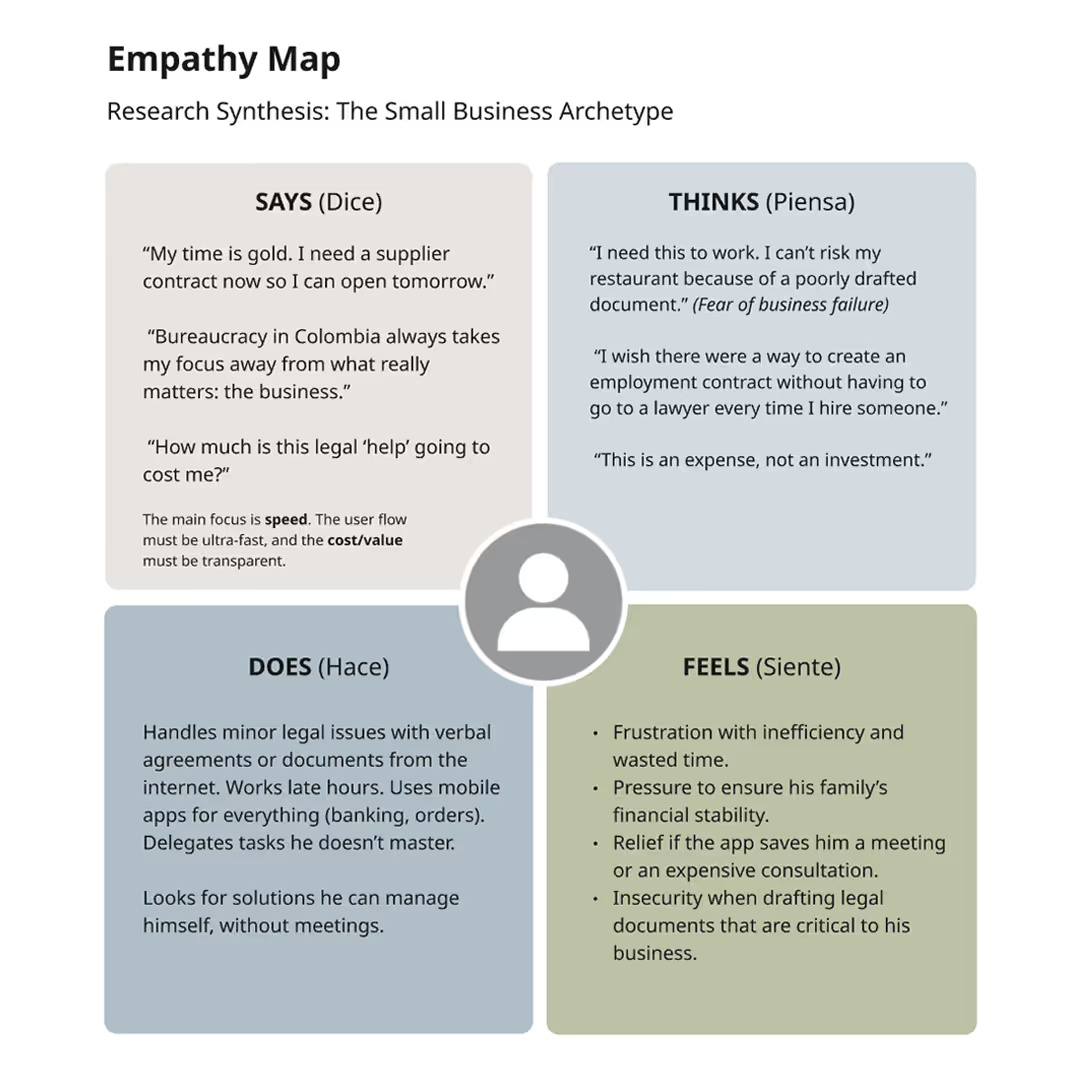
- Empathy Map:
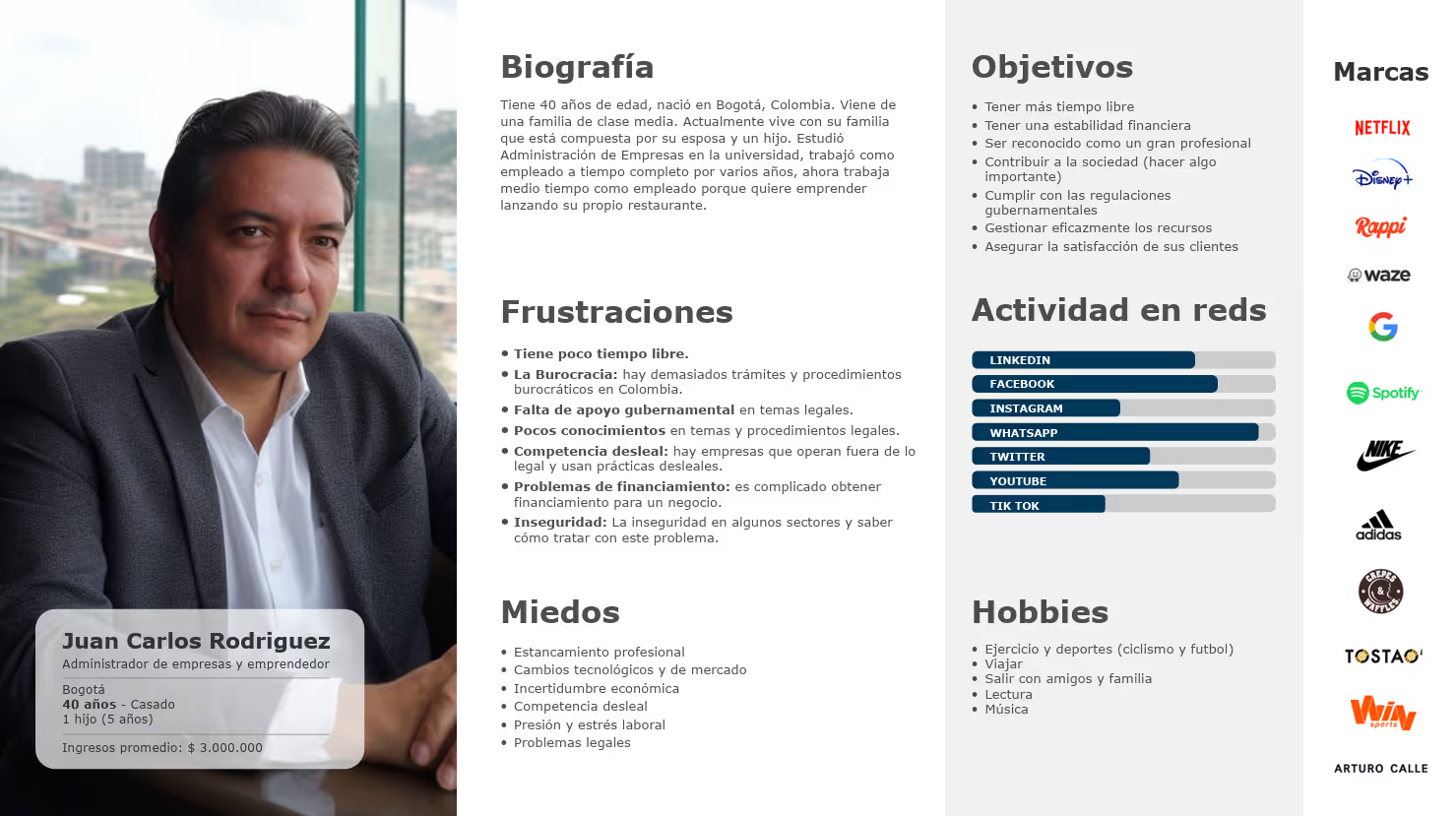
I used an Empathy Map to uncover the emotions driving my users. I found that legal hurdles cause deep anxiety due to high costs and wasted time. This insight pivoted my design from a simple document generator to an AI assistant that provides real-time expert advice to solve complex problems. - User Persona:
I created "Juan Carlos" to represent our primary user: the small business owner seeking professional legal solutions on a limited budget. By anchoring the design in his specific goals and anxieties, I ensured the product remained focused on delivering affordability, compliance, and confidence.
- User Journey Maps:
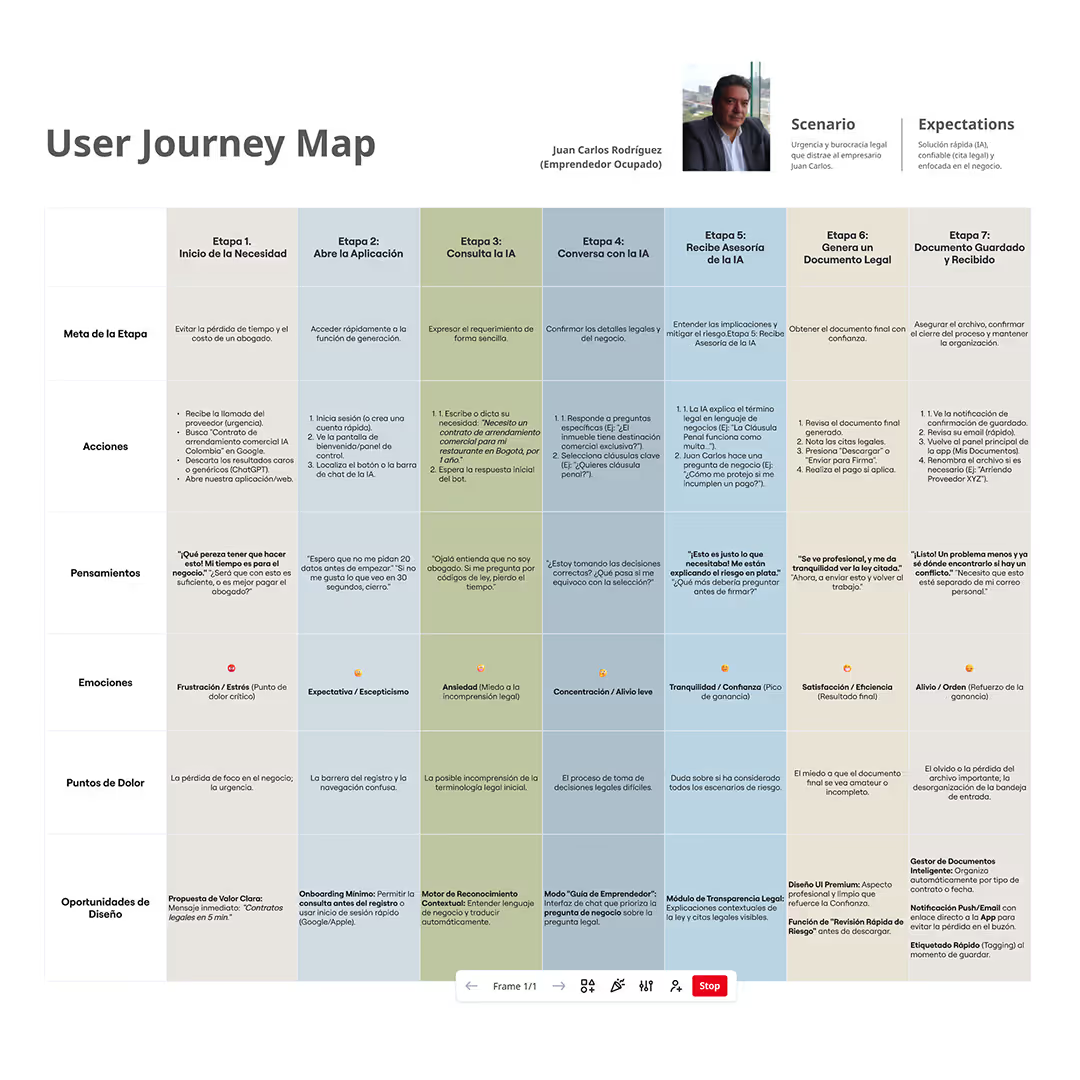
I developed the end-to-end experience for our persona, Juan Carlos, to pinpoint exactly where the legal process breaks down.
By visualizing his path, from the initial spark of legal confusion to the final resolution, I identified high-friction touchpoints where users feel most overwhelmed. This allowed us to target the specific moments where clarity and empathy were needed most.
2. Define
In this phase, I used the information from the research to develop a clear product strategy, ensuring that every feature we built would directly solve a validated user need.
- Pain Point Synthesis:
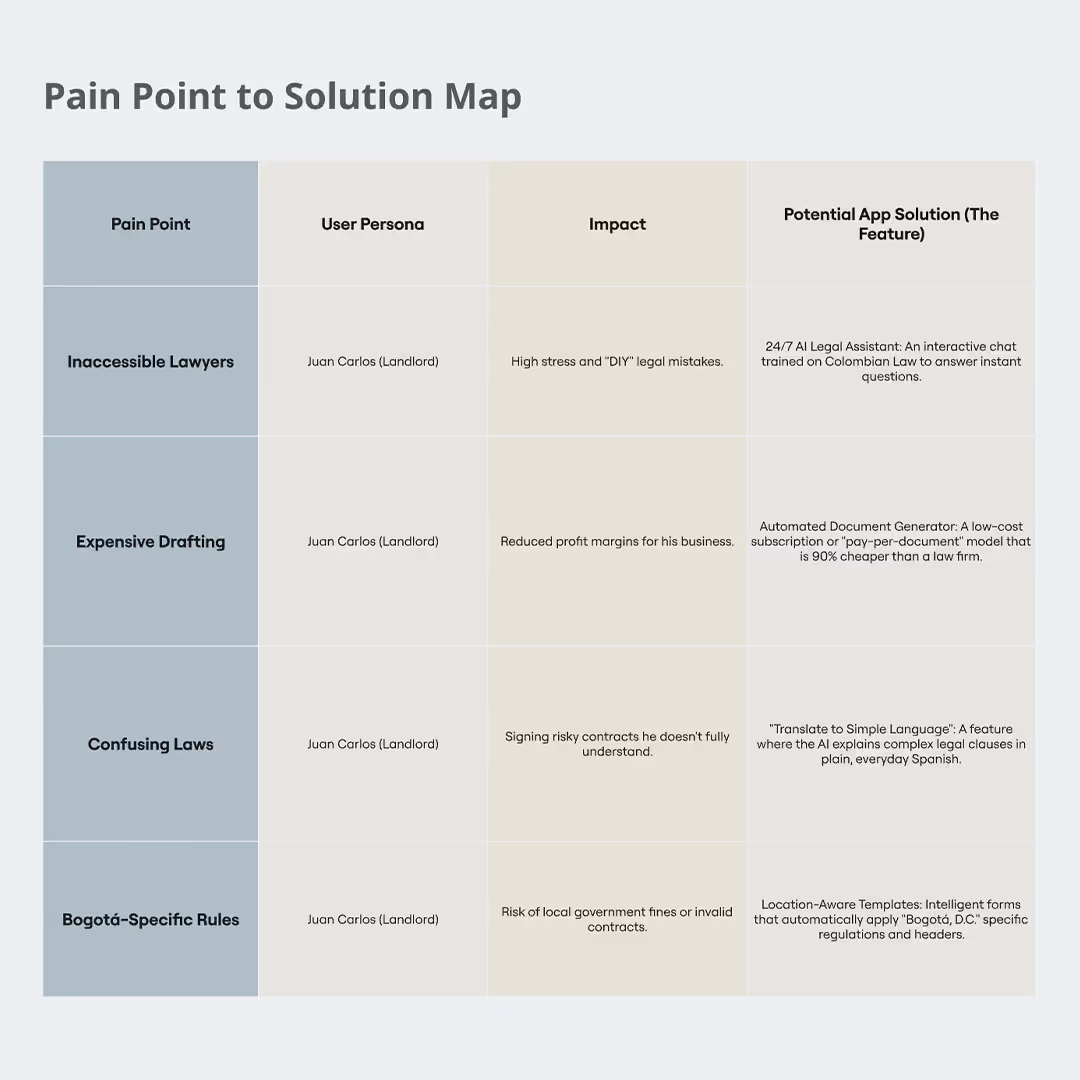
I categorized user frustrations into four key areas: Financial, Productivity, Process, and Support. To bridge research and design, I developed a Pain Point to Solution Map, transforming Juan Carlos’s anxieties into specific product opportunities. - The 5W Framework:
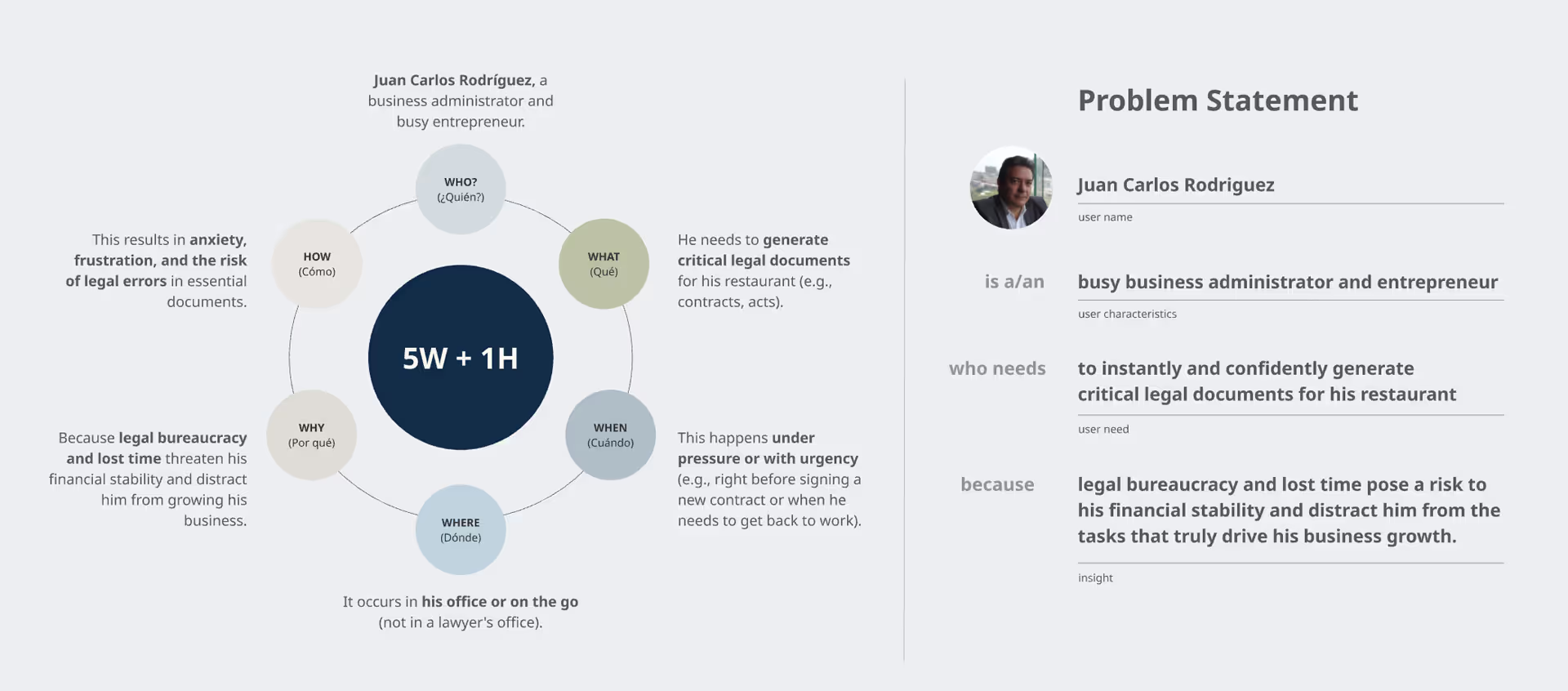
I used the Who, What, When, Where, and Why framework to create a precise Problem Statement. This served as our guide, aligning stakeholders on exactly which challenge we were solving and why it mattered for the business. - Goal Statement:
Based on the Problem Statement, I developed the Goal Statement:
Our AI-powered legal assistant (Leyia) will let users instantly resolve legal questions and generate legal documents, which will affect busy entrepreneurs like Juan Carlos by reducing bureaucratic delays and providing the legal confidence needed to focus on business growth.
We will measure effectiveness by tracking the rate of successfully answered legal queries and the number of legal documents created by users.
- Value Proposition Validation:
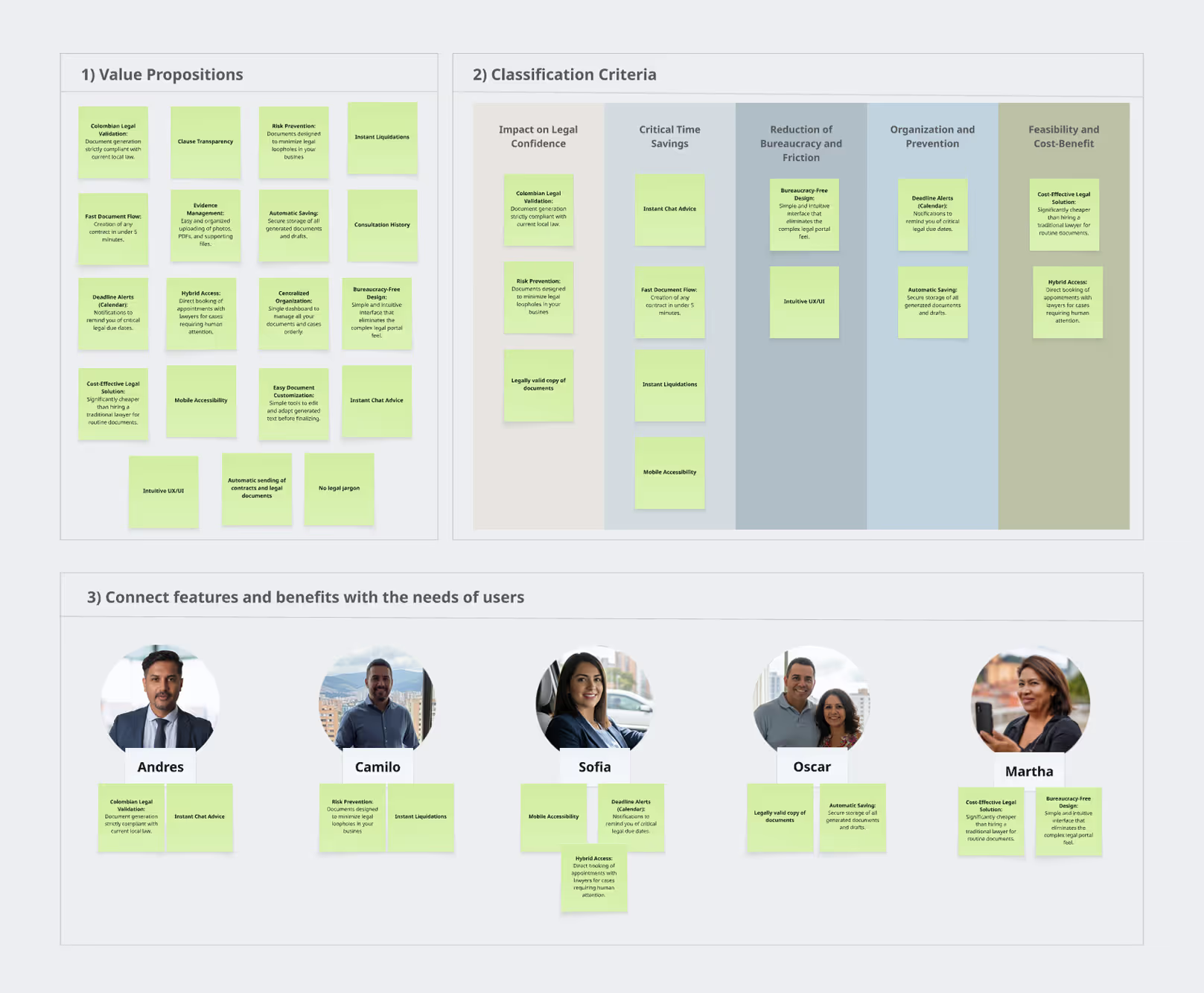
I identified a broad set of potential benefits and prioritized them based on user impact. Then I validated the top value propositions with my interview participants to ensure we were building "must-have" features, not just "nice-to-haves."
- Hypothesis Statements:
I concluded this phase by drafting hypothesis statements to treat our designs as testable theories. One of them states:
If we design a chat interface where the user can create a legal contract through simple dialogue with an AI, then Juan Carlos will save time and experience less stress. This replaces the complexity of reading dense documents with a conversational flow, making the process feel like a natural interaction rather than filling out tedious forms.
3. Ideate
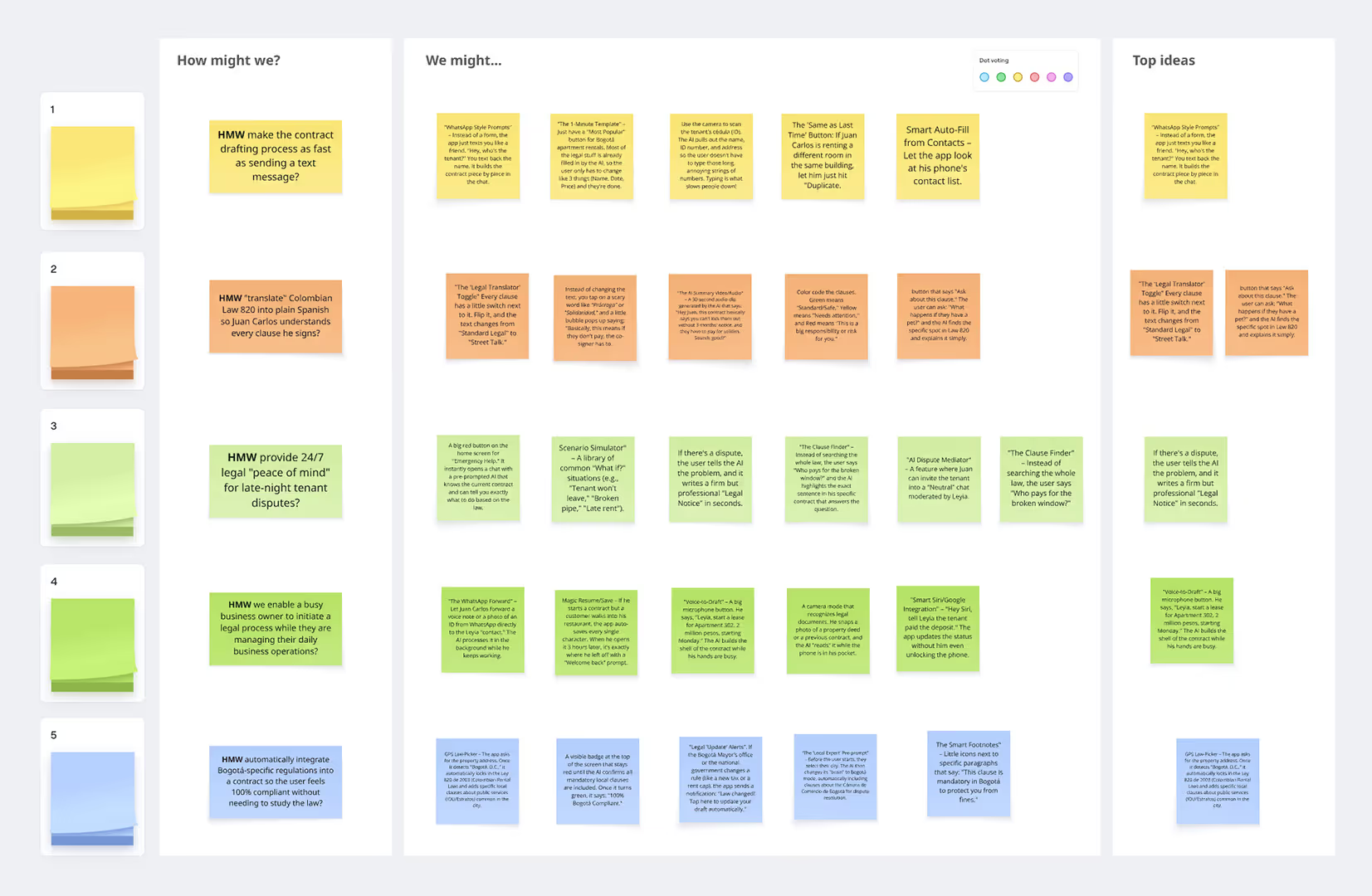
The "How Might We" technique:
Working with legal experts, I reframed our challenges into actionable opportunities. We focused on key questions like these:
- HMW create a conversational space where users can resolve legal questions in plain, easy-to-understand Spanish so Juan Carlos clearly understands everything?
- HMW make the contract drafting process as fast as sending text messages?
- HMW enable a busy business owner to initiate a legal process while they are managing their daily business operations?
- Rapid Ideation & Brainstorming:
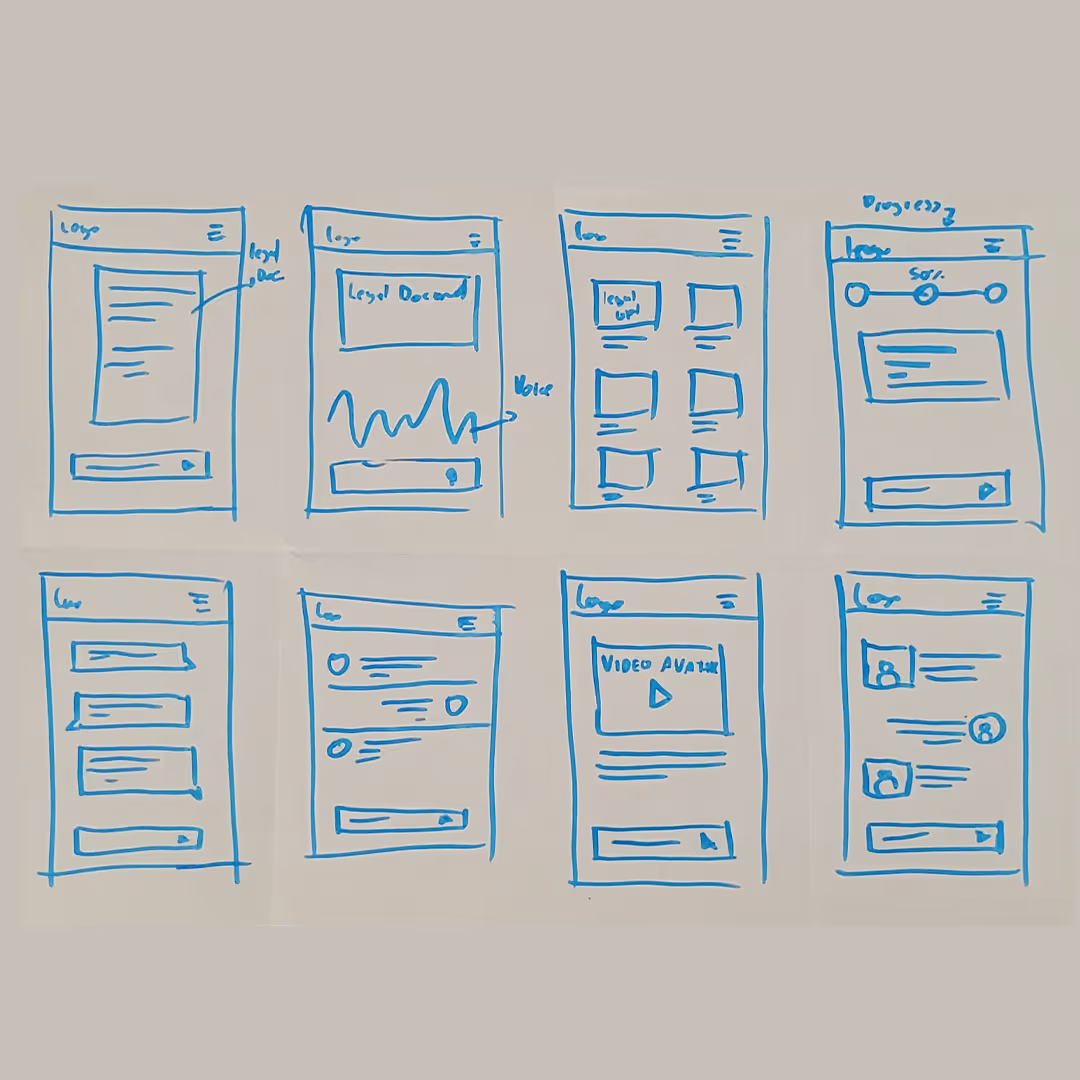
After selecting the best ideas, I used the "Crazy Eights" technique to brainstorm solutions in a short timeframe. This allowed me to quickly sketch eight distinct concepts for displaying AI-generated legal advice and streamlining the document creation process, ensuring I explored multiple layouts before committing to a final design. - Task & User Flows:
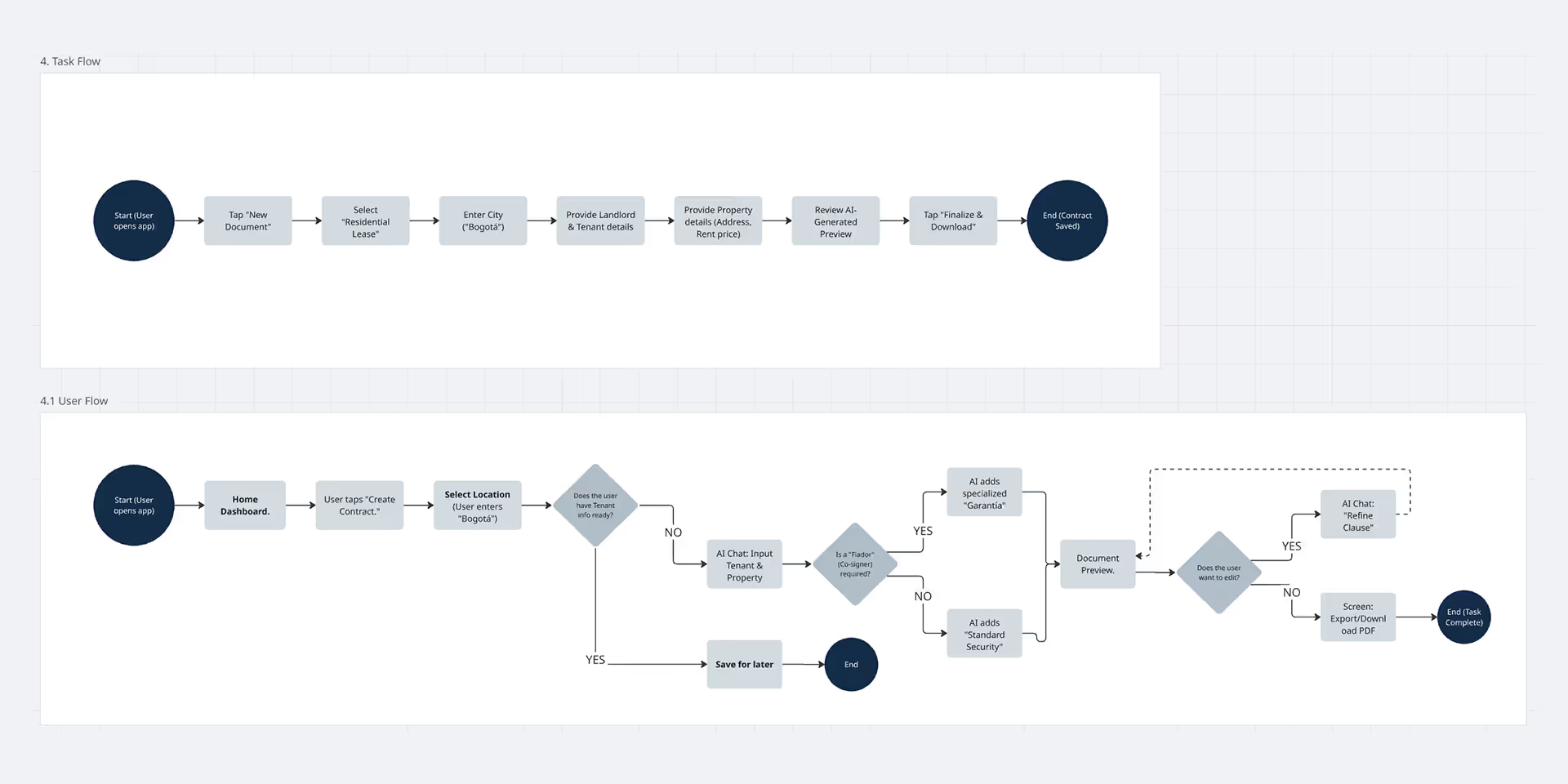
I began by mapping Task Flows to ensure the "Happy Path" was as efficient as possible. I then expanded these into robust User Flows, adding decision diamonds to account for "What if" scenarios. - Information Architecture (IA) & Wireframing:
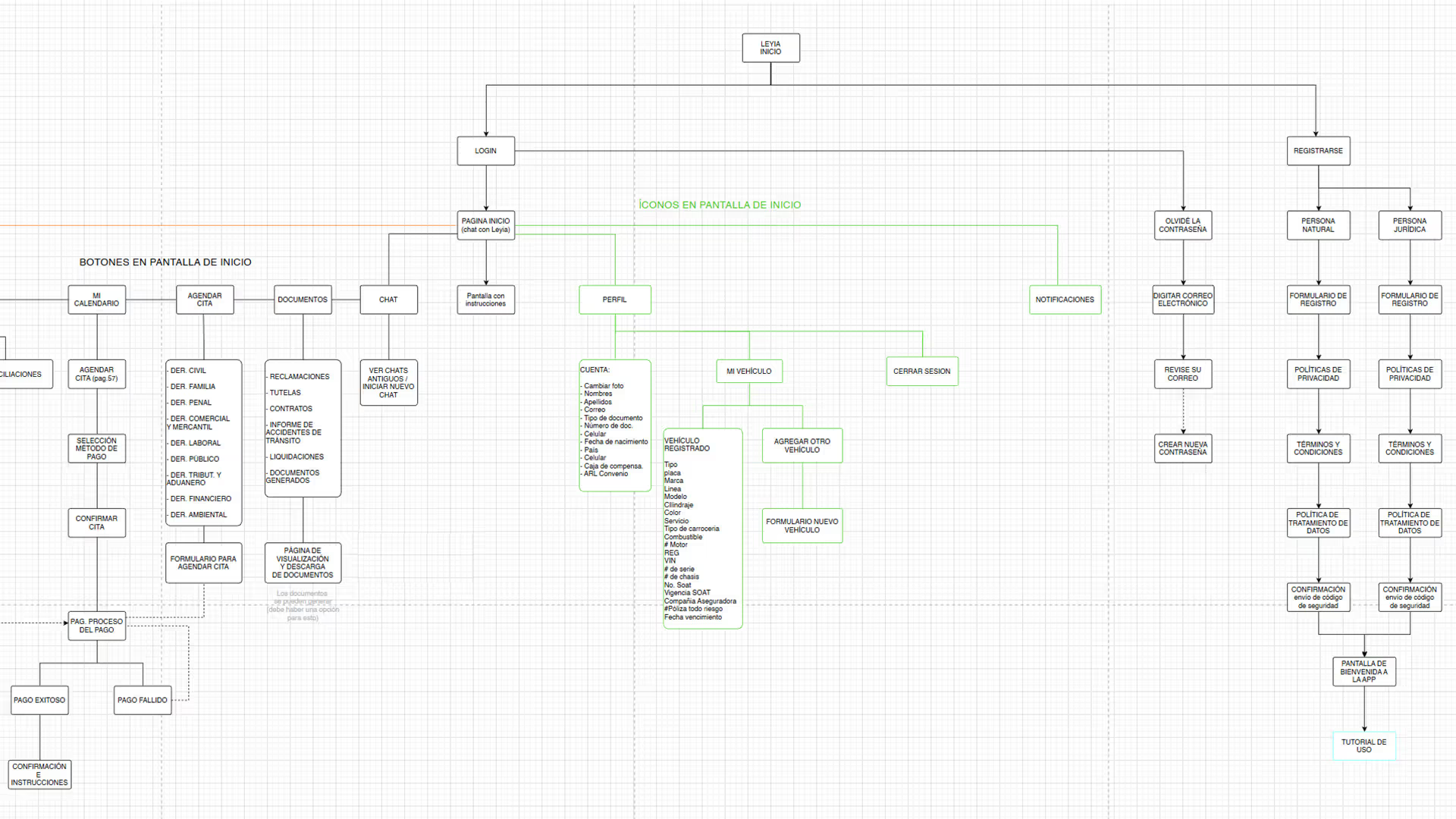
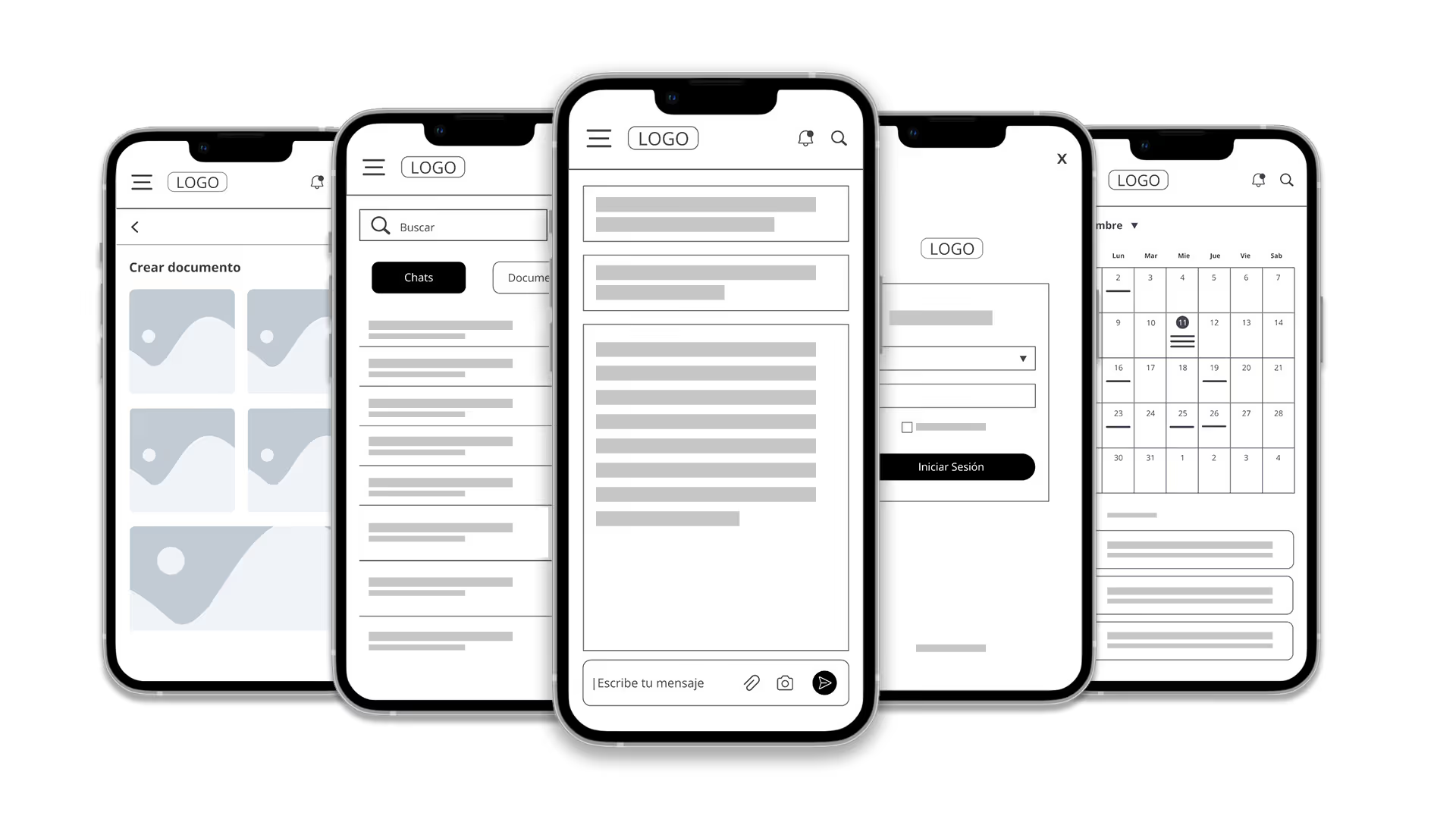
I designed a sitemap to organize the app’s main pillars. I then moved from paper sketches to Digital Wireframes in Figma, focusing on content hierarchy and accessibility before adding visual layers.
4. Prototype
- Low-Fidelity Prototype:
I connected my digital wireframes in Figma to create a clickable flow. This allowed me to test the "logic" of the app without users getting distracted by colors or photos. - Usability Study (Lo-Fi):
I conducted a usability study with three users to pinpoint friction points. Testing the low-fidelity prototype allowed me to identify and resolve critical issues early, before investing time and resources in the high-fidelity prototype. - Iteration:
Usability testing revealed that users found it easy to have conversations with the AI; however, they struggled to interact with the search and menu icons due to poor placement and size. In response, I restructured the navigation to improve accessibility.
Additionally, I expanded the Information Architecture (IA) by adding new categories to the main menu, ensuring the interface could scale to include the company’s future service offerings without overwhelming the user.
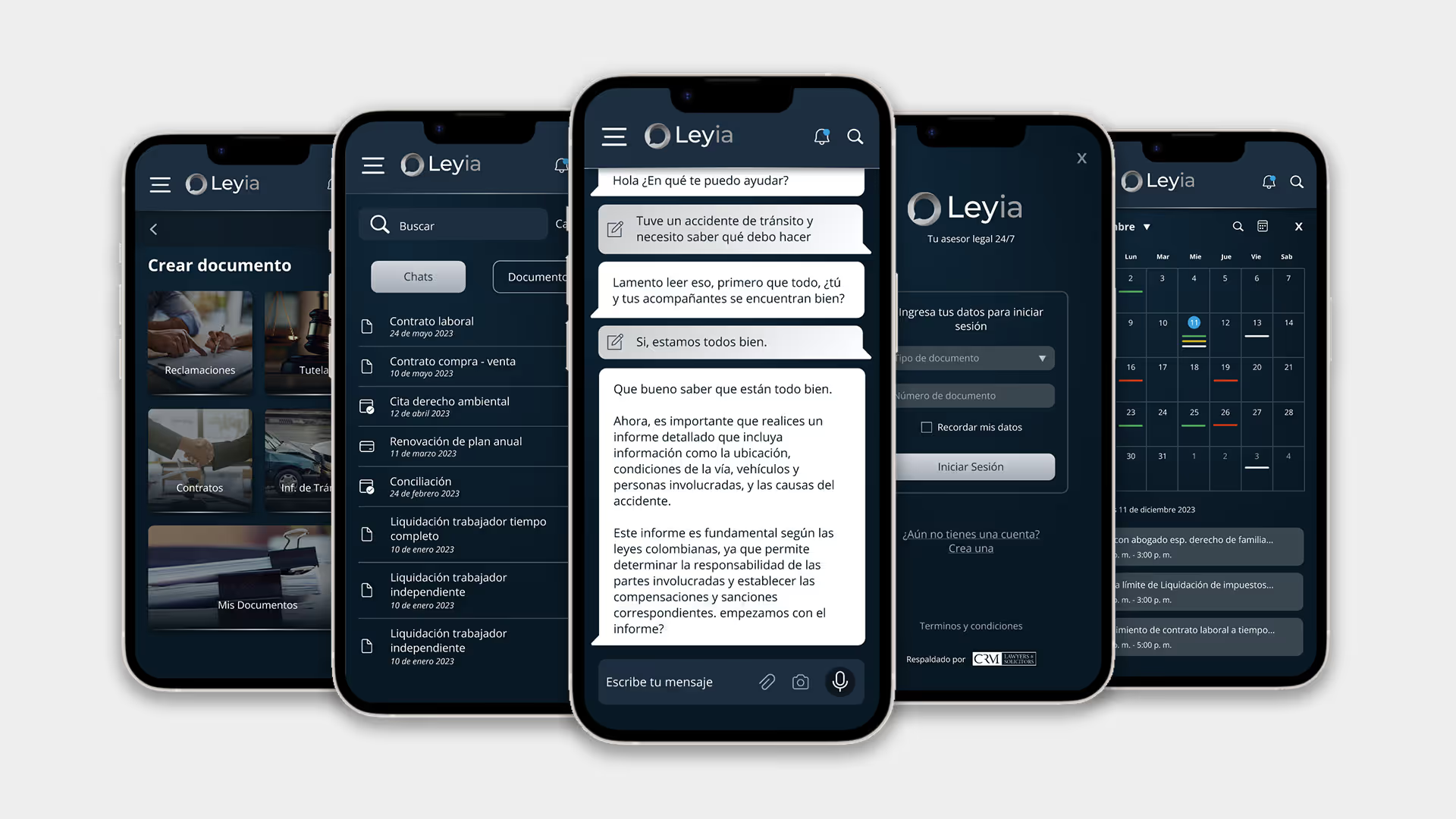
- High-Fidelity Mockups:
With the structure validated, I designed the final "look and feel" by strictly applying the Brand Guidelines I developed in the initial phase. The aesthetic was chosen specifically to evoke trust, professionalism, and legal clarity. - UI kit:
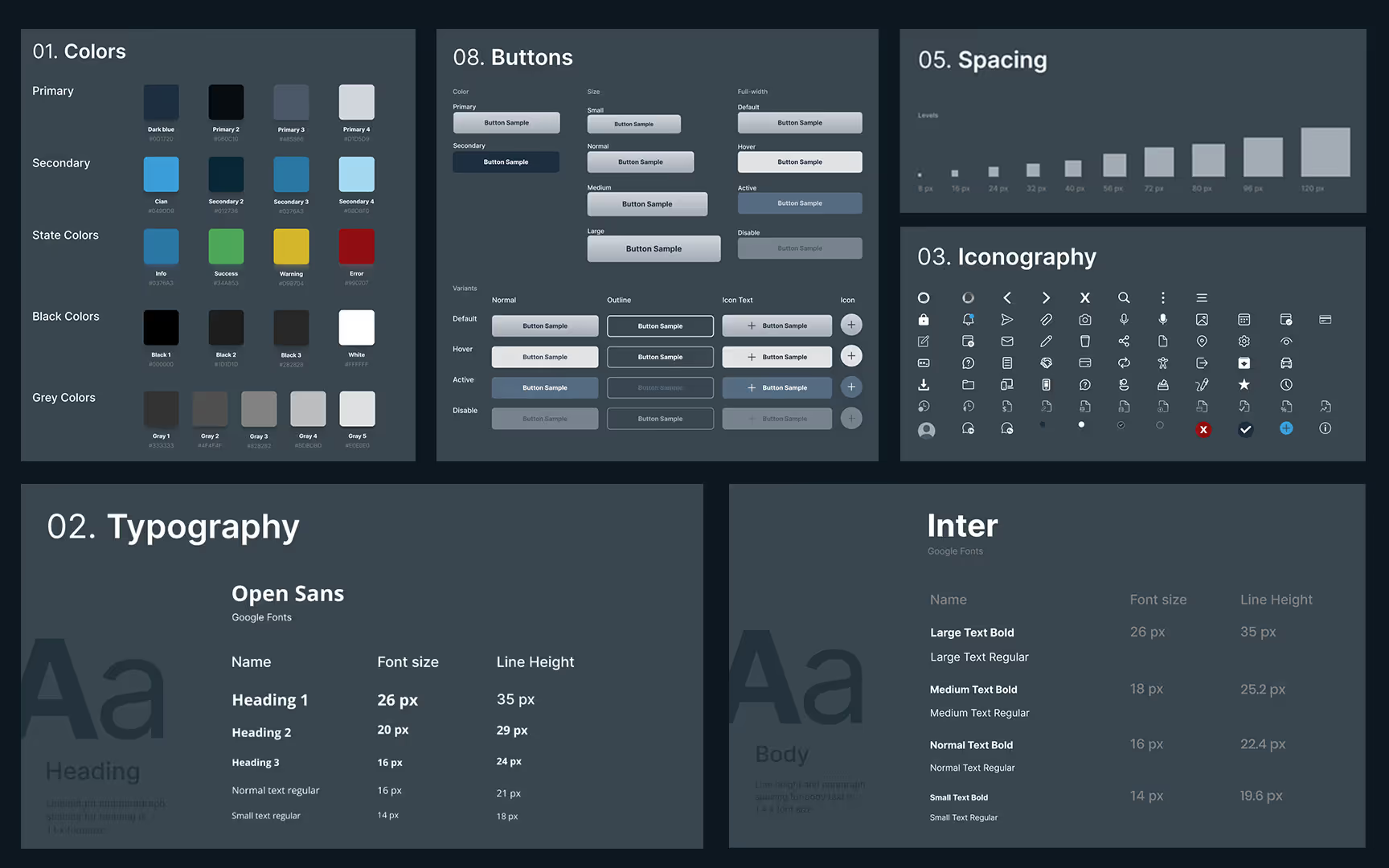
To maintain this consistency at scale, I built a UI kit. I translated the brand’s visual language into digital components, including standardized buttons, typography scales, colors and iconography. This ensures that any future features added to Leyia will automatically feel like part of the same trusted brand. - Accessibility:
In developing the UI Kit, I used WCAG guidelines as a compass for accessibility. My goal was practical inclusivity: I chose typography that remains sharp on any screen and tested my color palette to ensure strong contrast, making the legal experience readable for a wider range of users.
- High-Fidelity Prototype:
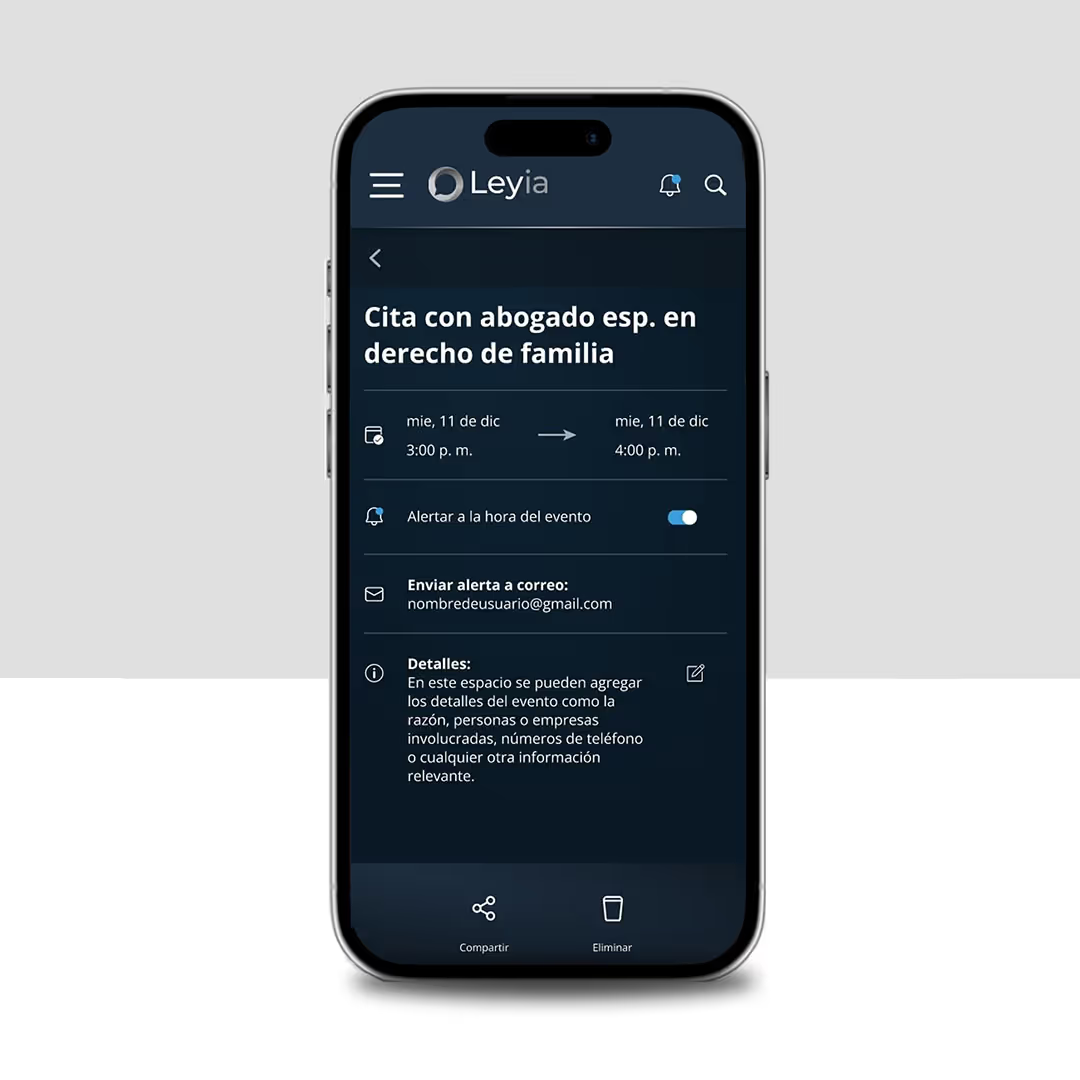
Finally, I built the high-fidelity prototype in Figma, adding realistic transitions and animations to simulate the final product experience for stakeholders.
4. Usability Study
My goal was to move beyond "flow logic" and test the usability, accessibility, and emotional response to the interface.
Unmoderated usability study
I conducted a remote usability study with five participants in Bogotá, Colombia to evaluate the app’s real-world performance. The goal was to verify if users could successfully receive legal advice and generate contracts independently and without assistance.

"The app is useful for legal questions, but it has many tools I didn't understand. An explanation would be helpful."
- Diego, Restaurant Owner.

"It is awesome to have a legal advisor anytime you need it but it will be much better to talk with her instead of writting everything".
- Oscar, Lawyer.

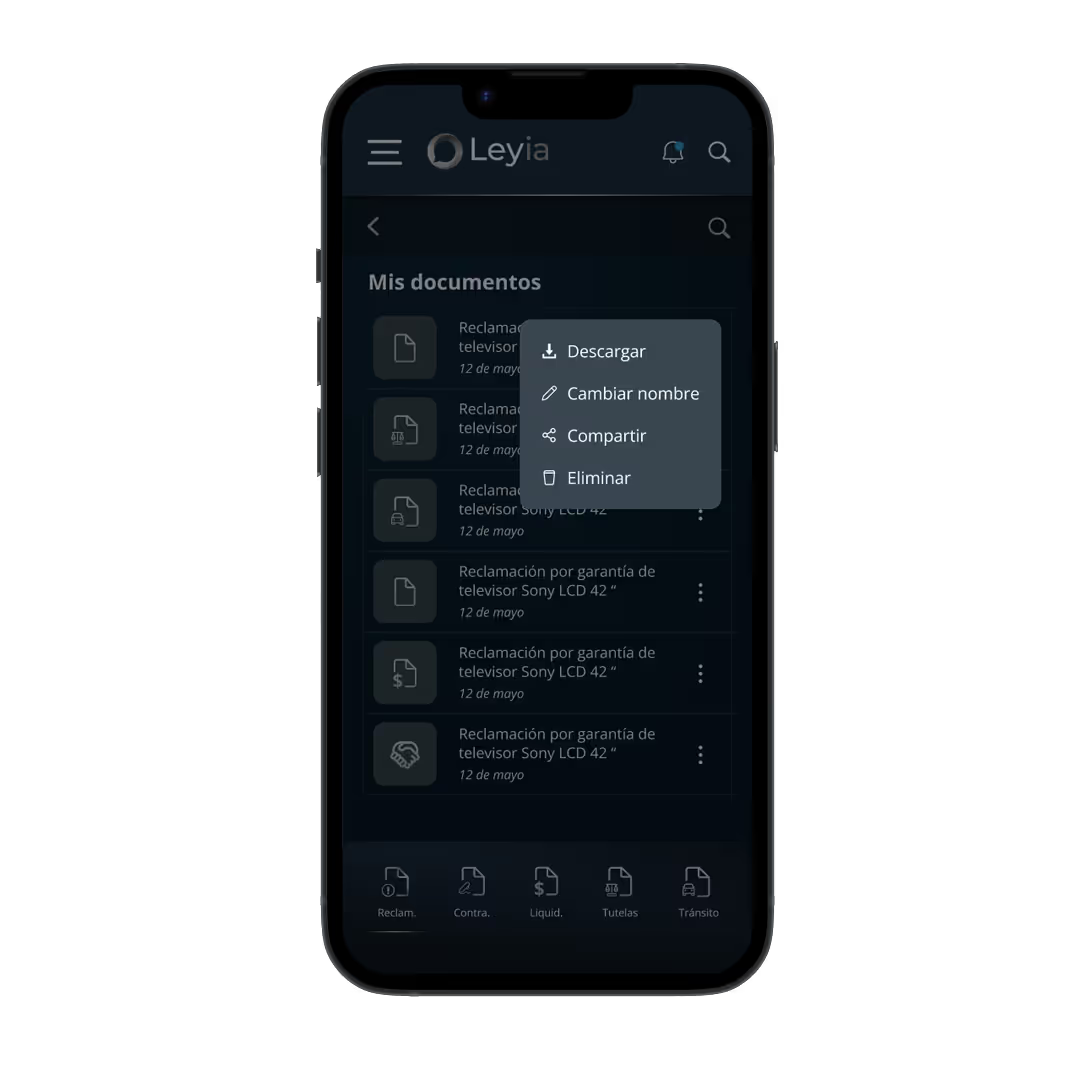
"I wanted to share a legal document with a colleague via WhatsApp or email, but I couldn’t figure out how to do it."
- Cristina, Small Business Owner
Iterations:
Based on the findings, I implemented the following changes:
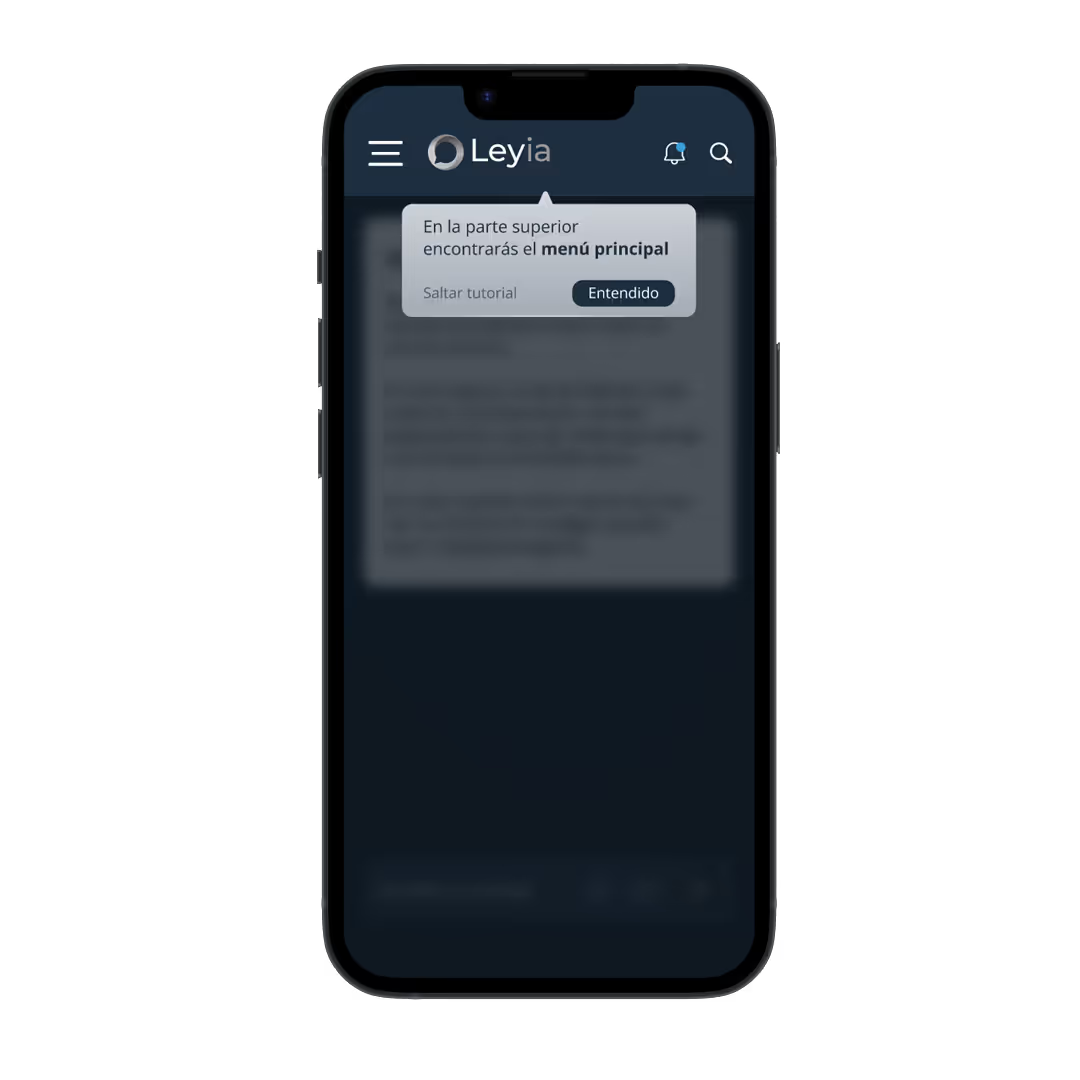
1. Tutorial: The app included several features that users were not immediately aware of, so I added a short tutorial to introduce the main tools and functionalities.
2. Voice input option: I added implementation notes for the development team to include a voice input feature in the message bar. This was designed to support users with visual or motor disabilities and to help users interact with the app in situations where typing is not practical.
3. Document export and sharing: Enabled users to download legal documents in PDF format and send them to their own email or share them with others through external apps.
4. FAQ section: Added a Frequently Asked Questions section within the Help & Support module to address common user concerns.
5. Navigation improvements: Resolved several navigation issues to make the app flow clearer and more intuitive.
Test the Prototype
Adaptation to desktop
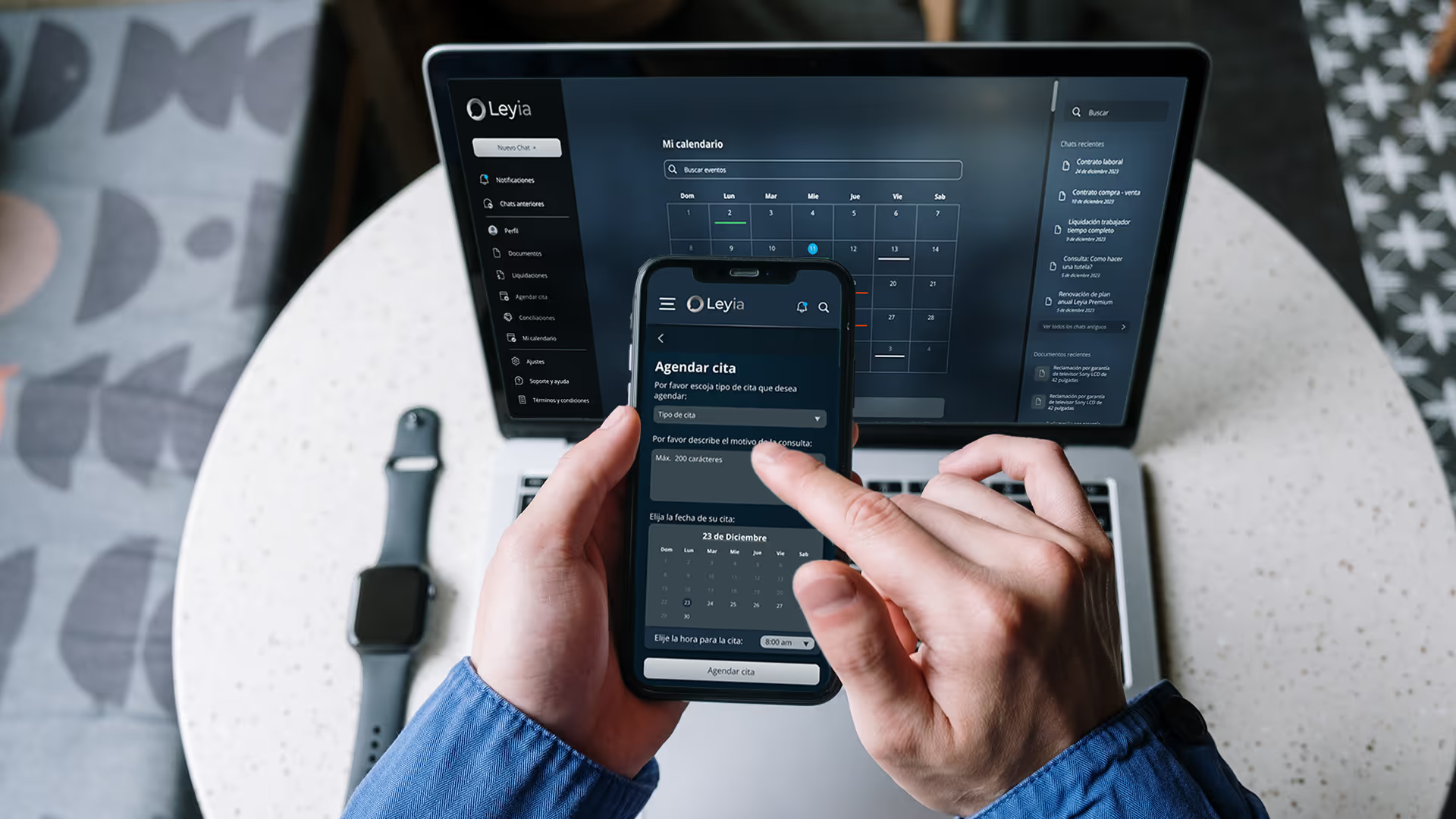
However, research showed that for bigger tasks, like reviewing long contracts. people prefer using a computer.
To support this, I created a desktop version that has all the same features but uses the larger screen to make complex work easier. This lets users start a quick chat on their phone and finish the "heavy lifting" at their desk.
Website Design
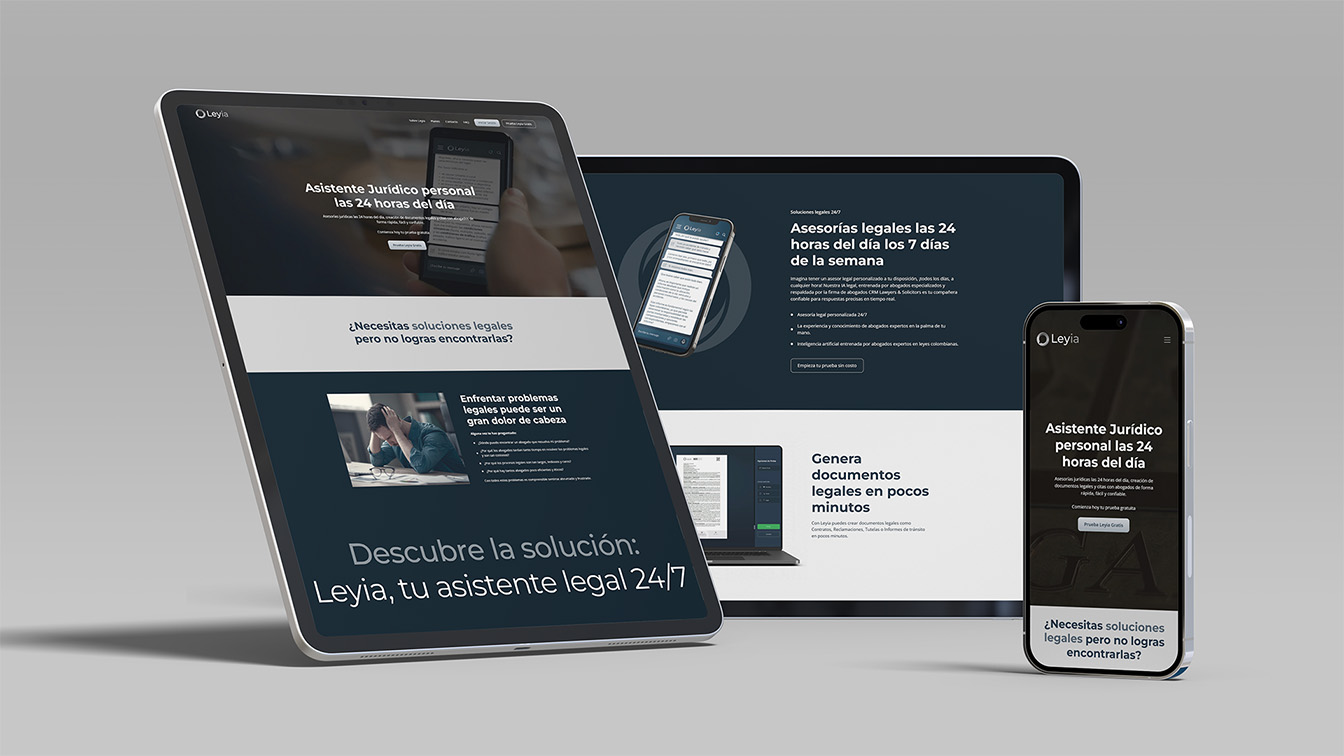
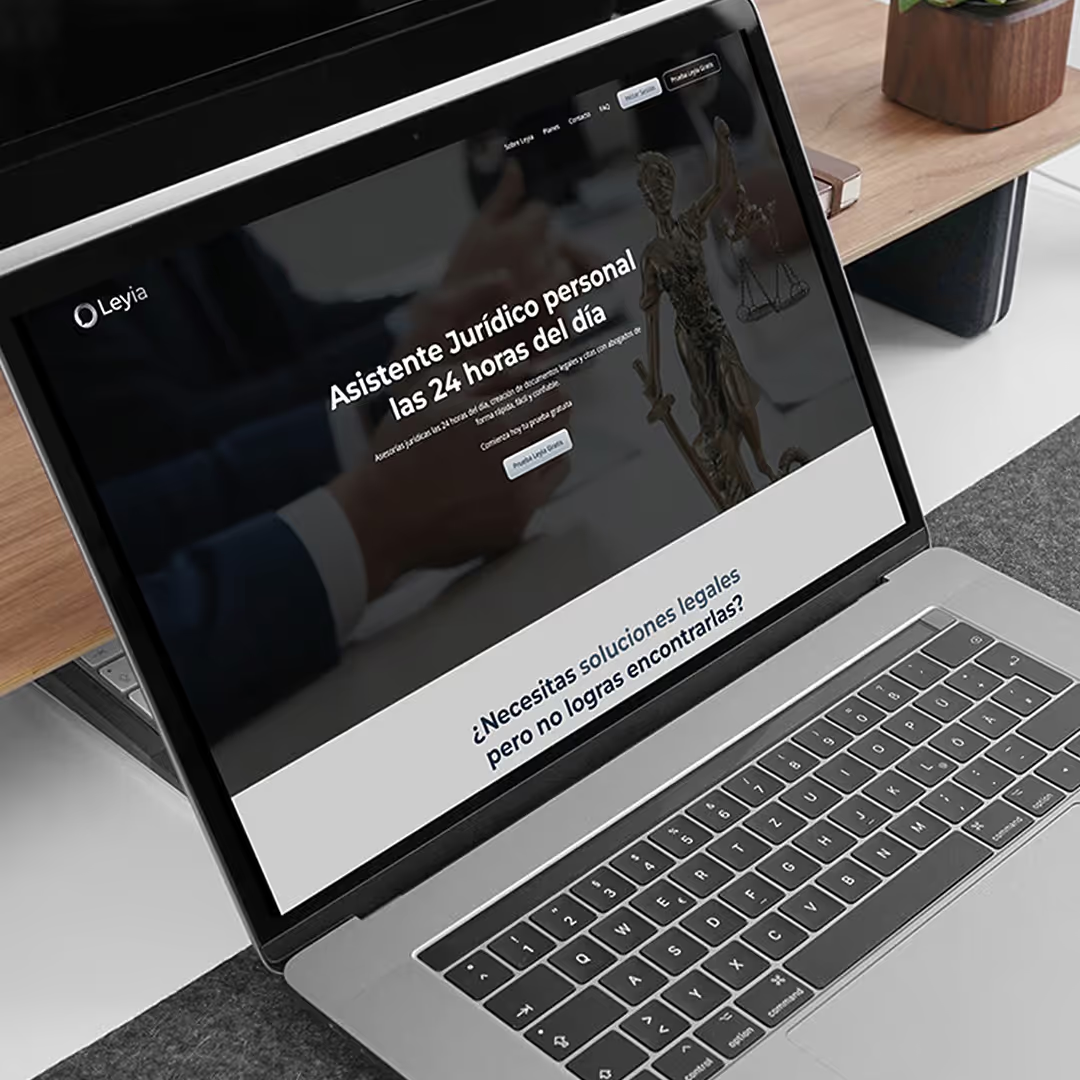
While collaborating with the development team, I also led the design and development of the product’s website, where potential clients could learn about the app and purchase a monthly plan.
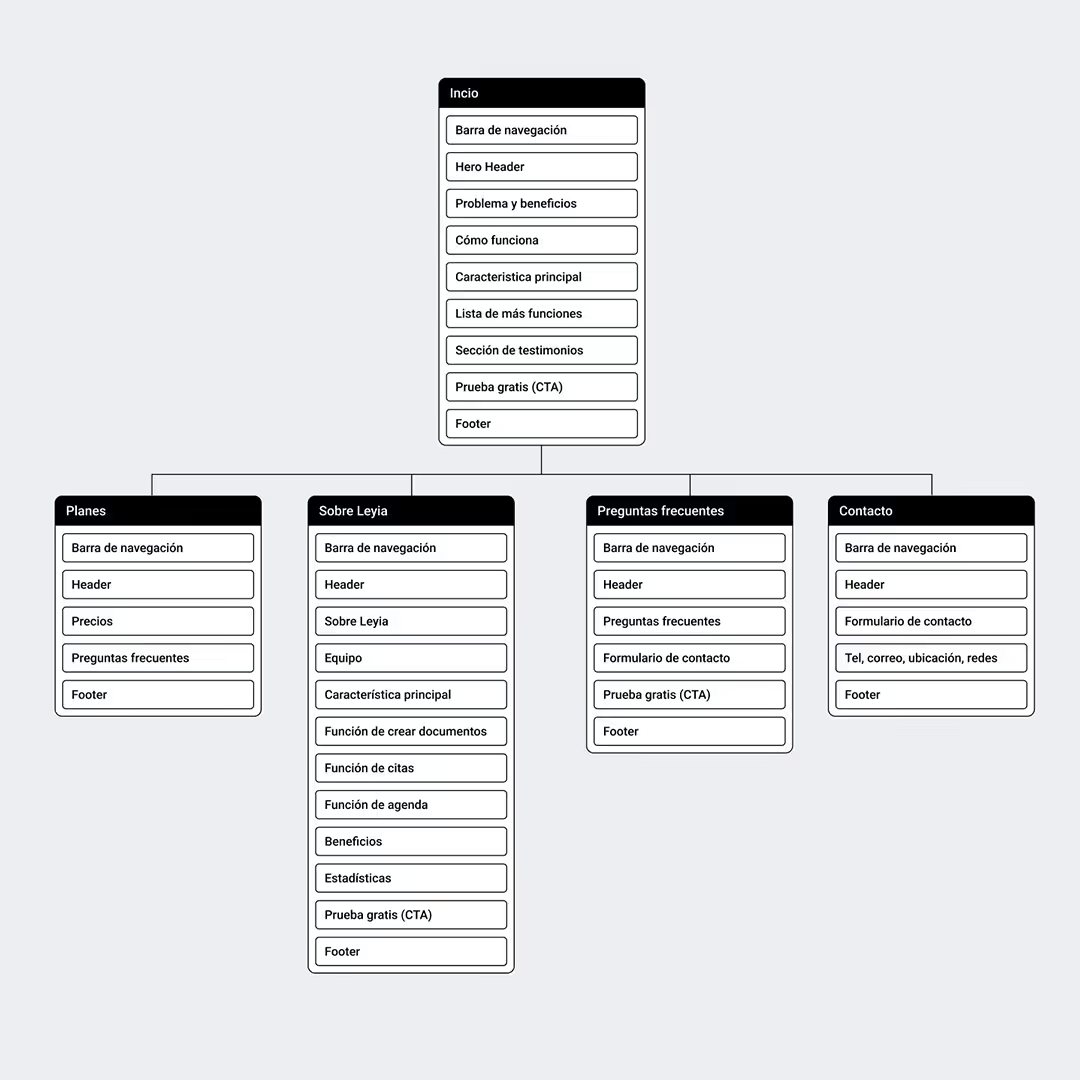
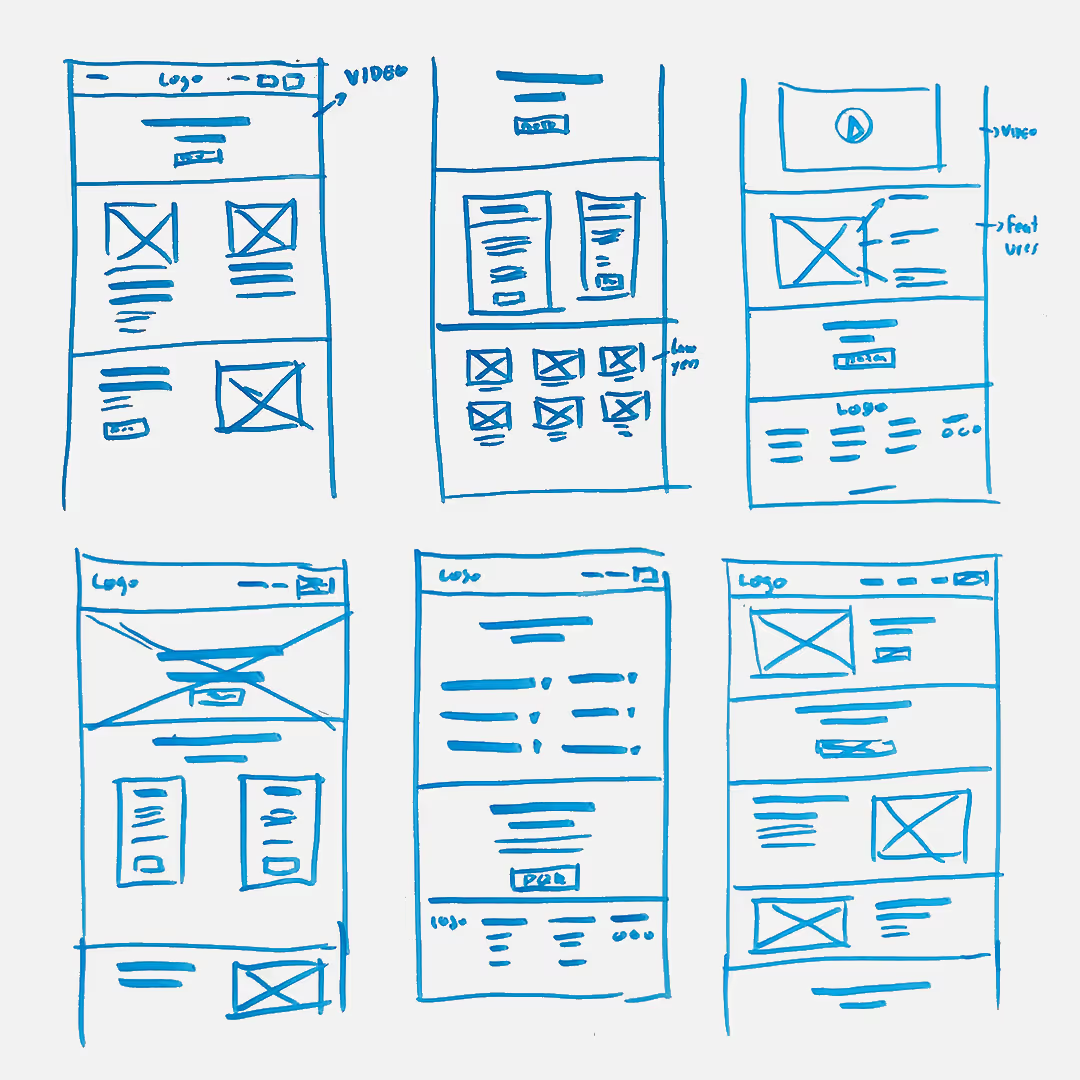
1. Sitemap and sketches
Thanks to the research and design work completed for the app, I had a strong understanding of the users and their needs, which helped define the website’s content and structure.
During this phase, I worked closely with the founders to establish a clear site architecture. With this foundation in place, I moved on to exploring multiple layout ideas through sketches.
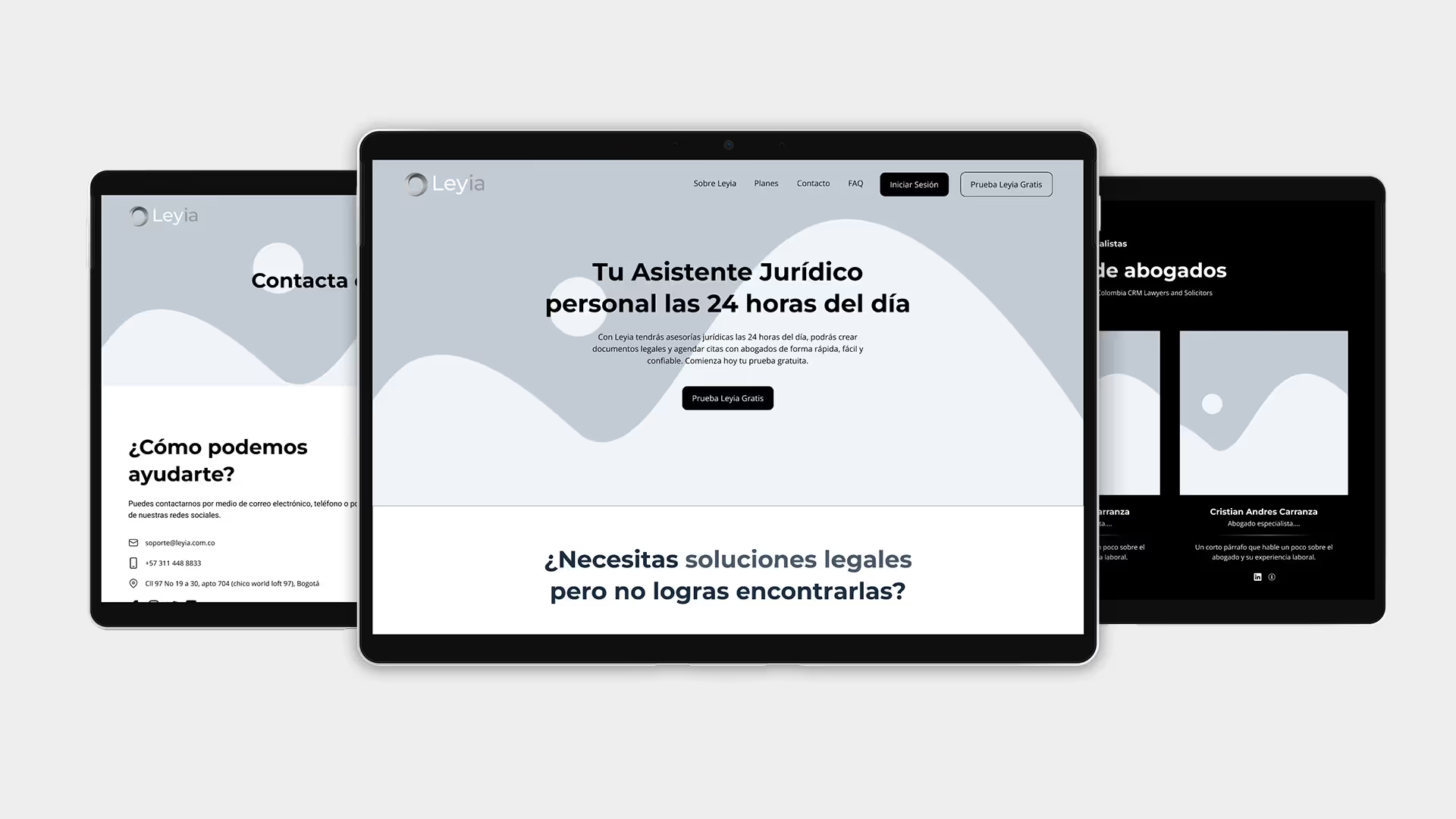
2. Low-fidelity Prototype
After selecting the strongest concepts, I translated the sketches into digital wireframes in Figma and reviewed them with the client. Once approved, I built a low-fidelity prototype and tested it with five users, documenting areas for improvement.
After several iterations, the result was a solid and functional low-fidelity prototype, ready to be developed into visual mockups and, ultimately, a high-fidelity prototype.
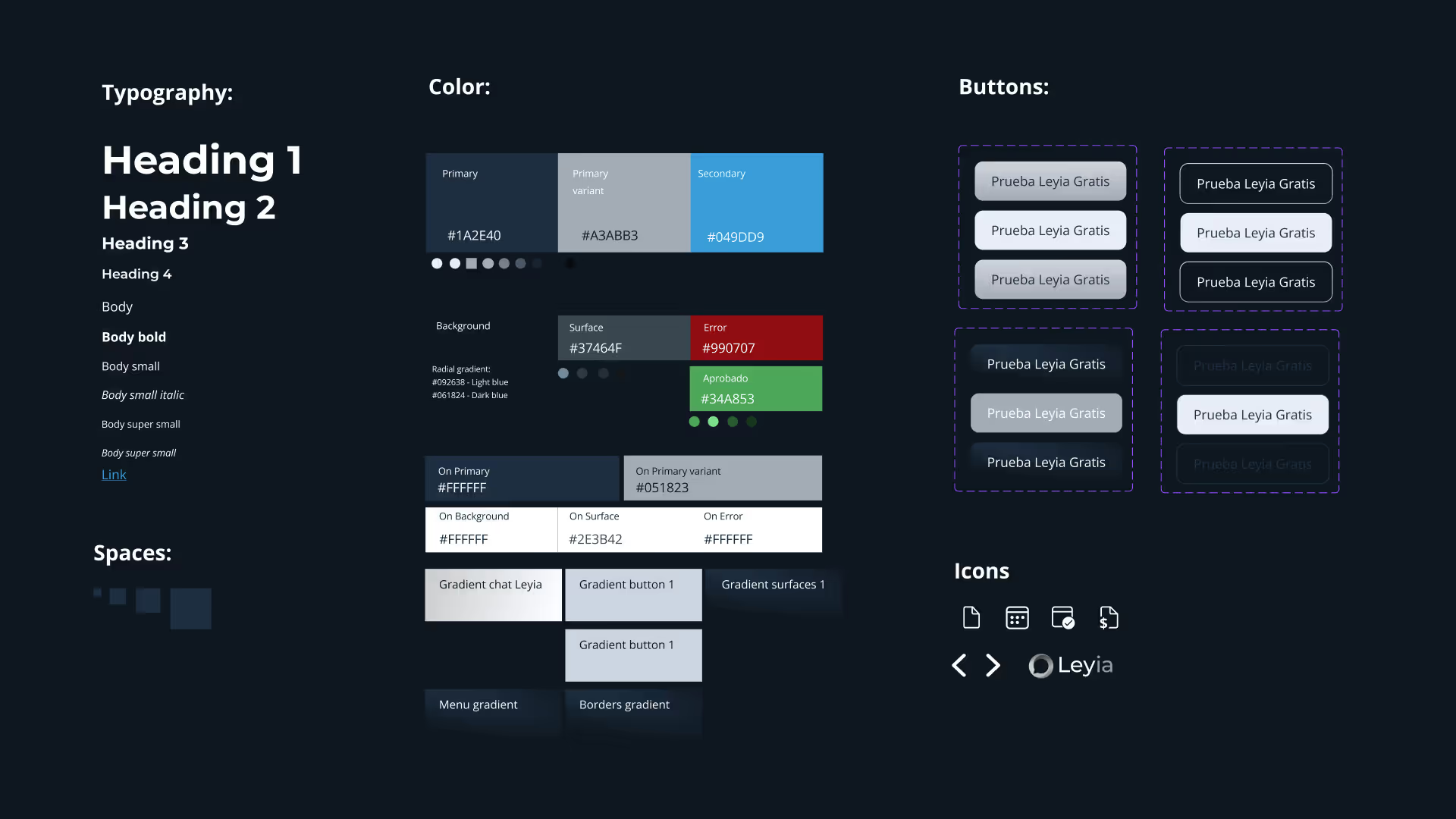
3. High-fidelity Prototype
To create the mockups, I followed the brand guidelines defined at the beginning of the project to ensure consistency and a strong, cohesive identity across all touchpoints.
In parallel, I developed a Sticker sheet based on the brand guidelines, which allowed me to iterate quickly and maintain design quality at scale.
Once the mockups were ready, I added interactions and navigation to build a high-fidelity prototype, which was then tested with five users.
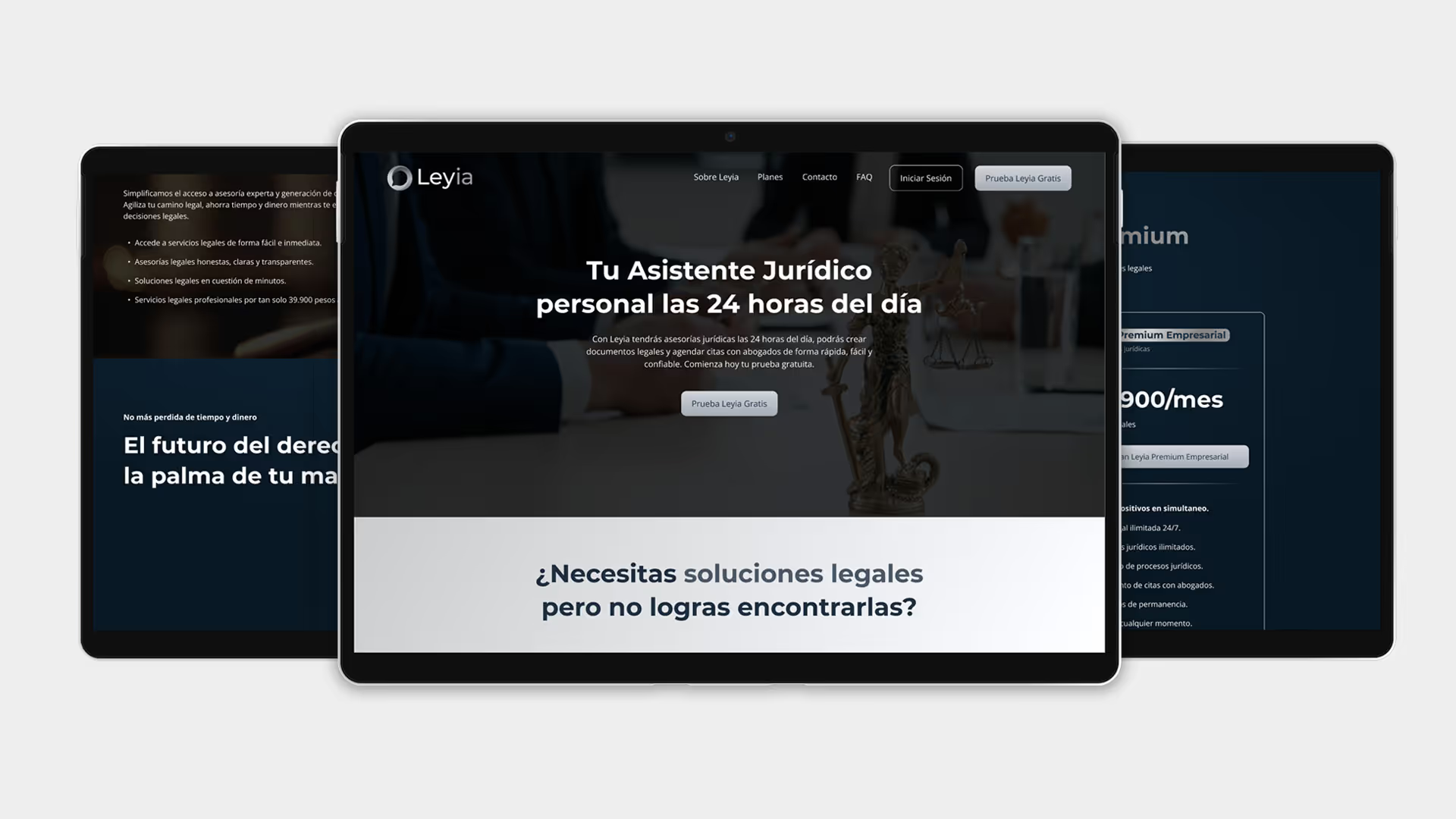
4. Development in Webflow
After the usability tests, I implemented several improvements. Once the prototype was approved, I moved on to development using Webflow.
During this phase, I also created an explainer video for the product, which served both as a user introduction and a marketing asset.
Leveraging my background in digital marketing, I structured the website to communicate the product’s value clearly and convert visitors into customers.
Video creation for app explanation
Marketing
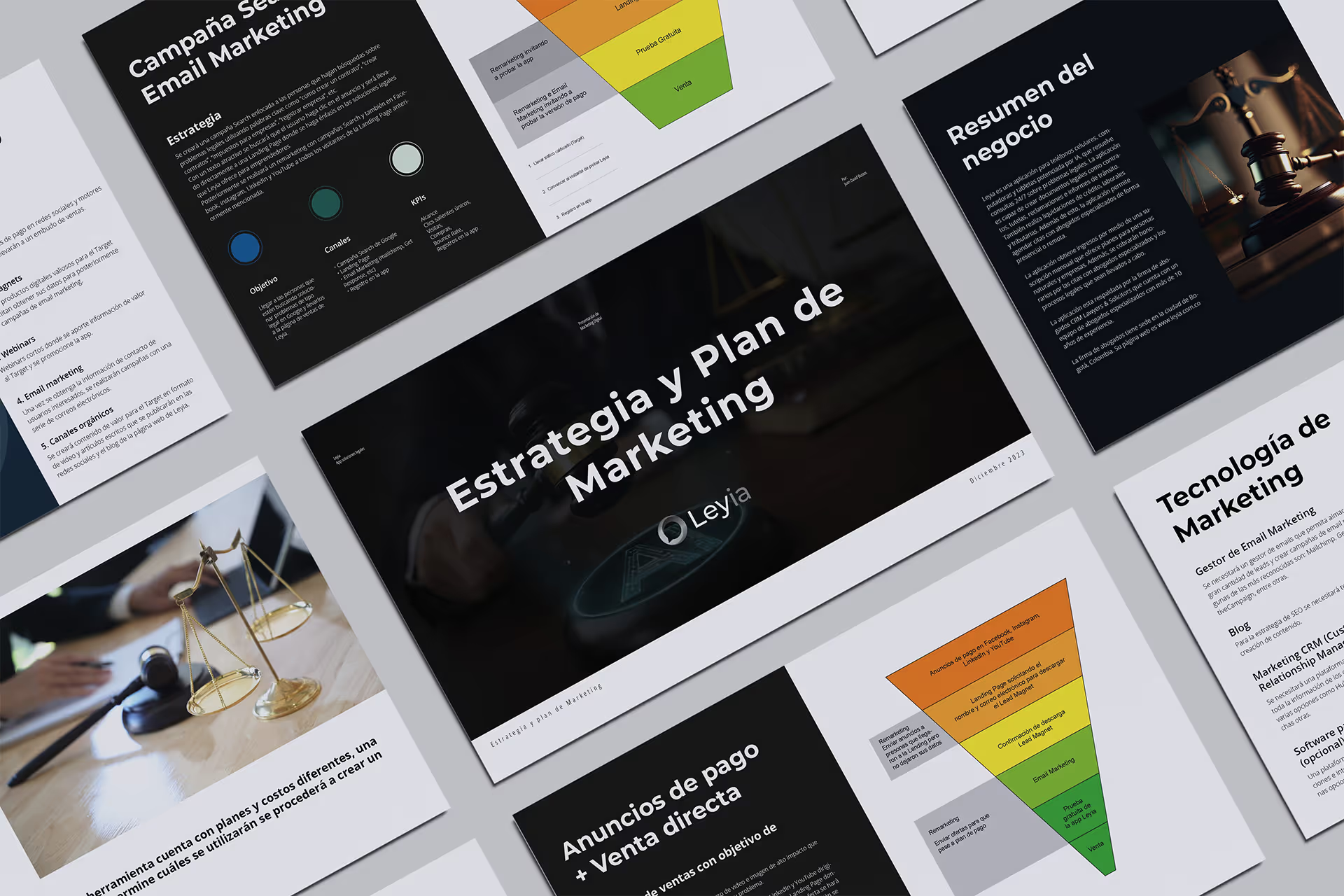
Once the app and website were completed, I moved on to the marketing preparation phase.
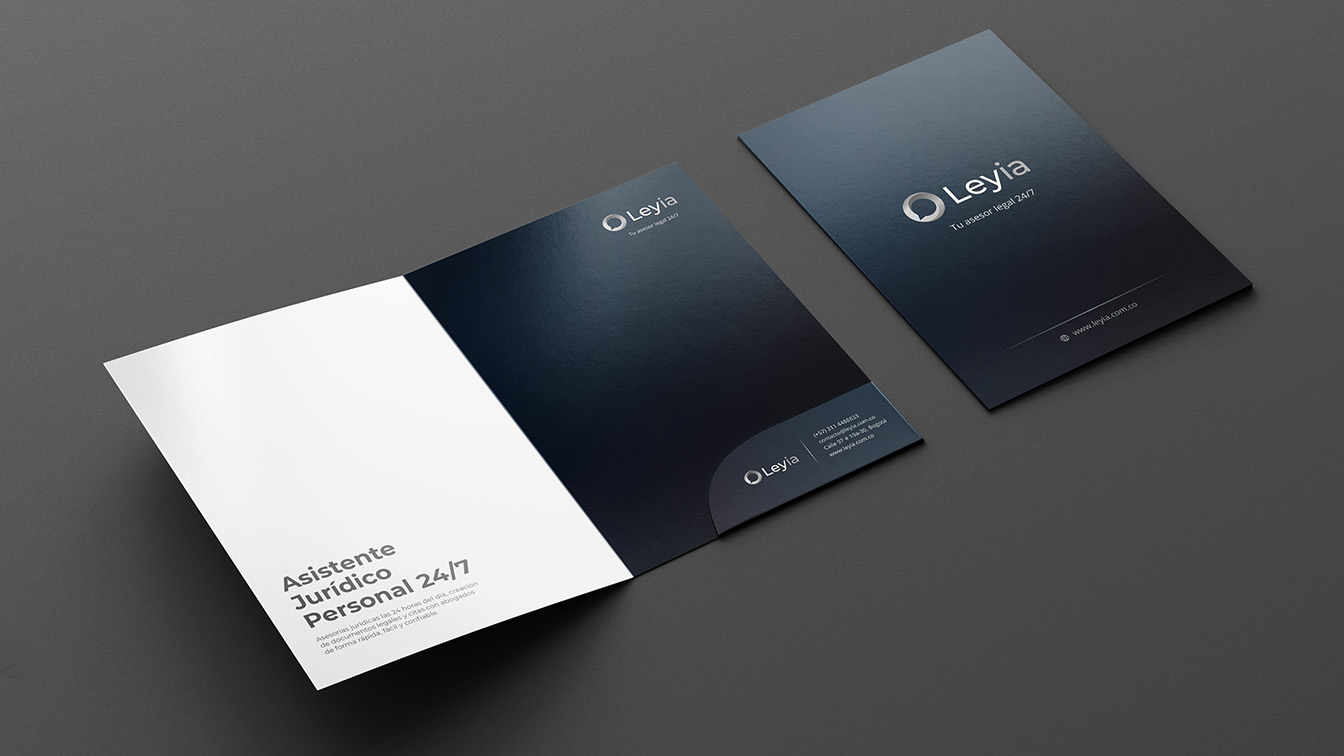
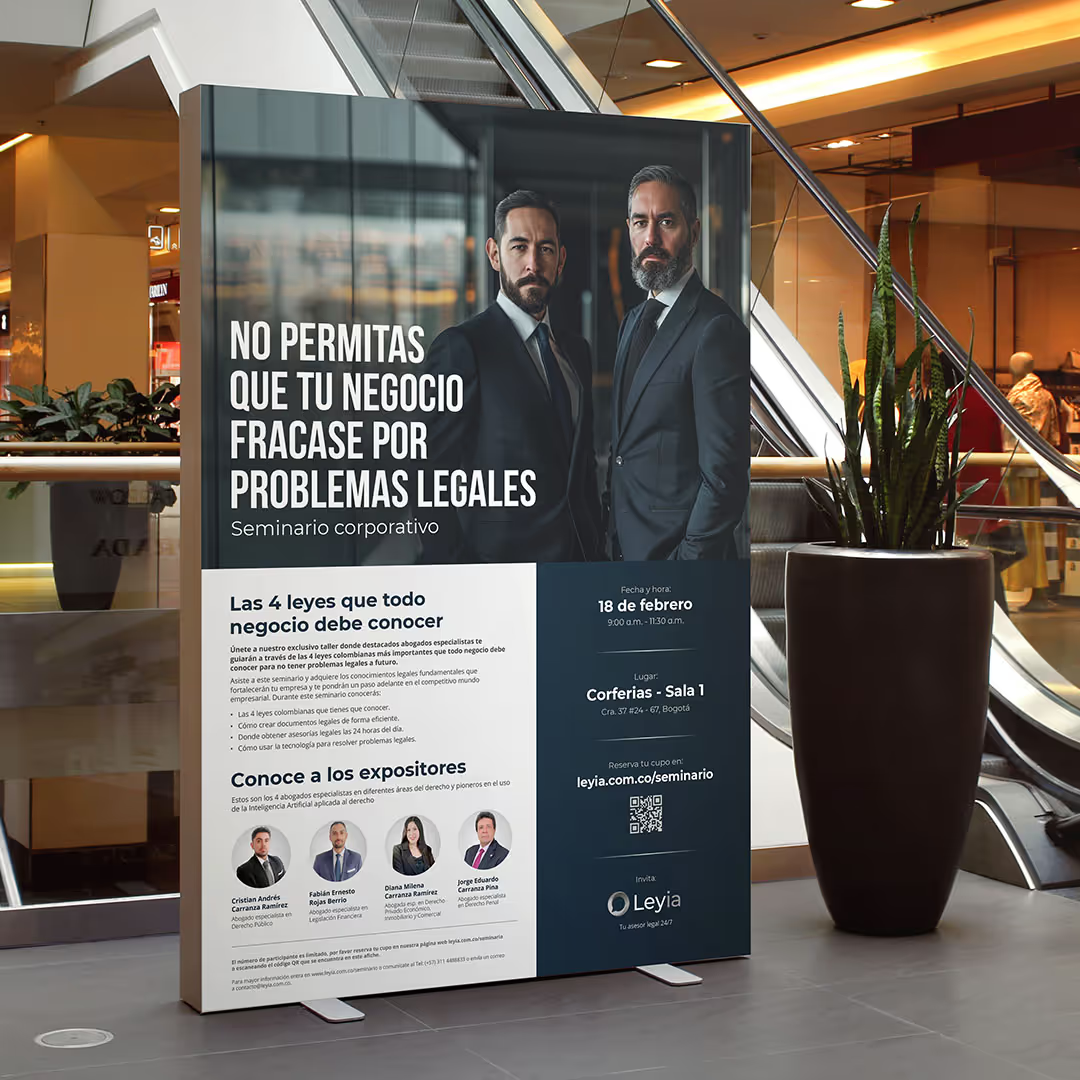
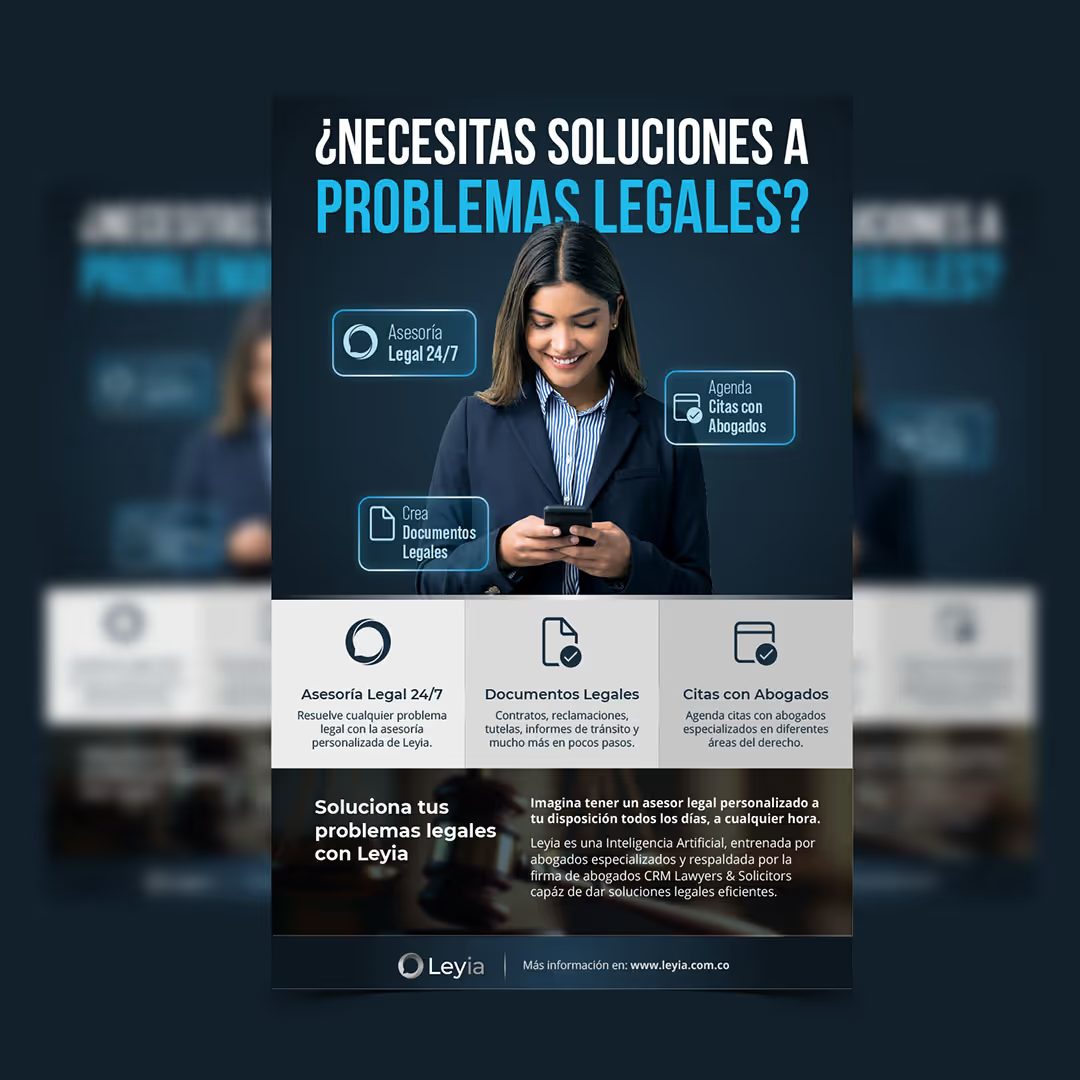
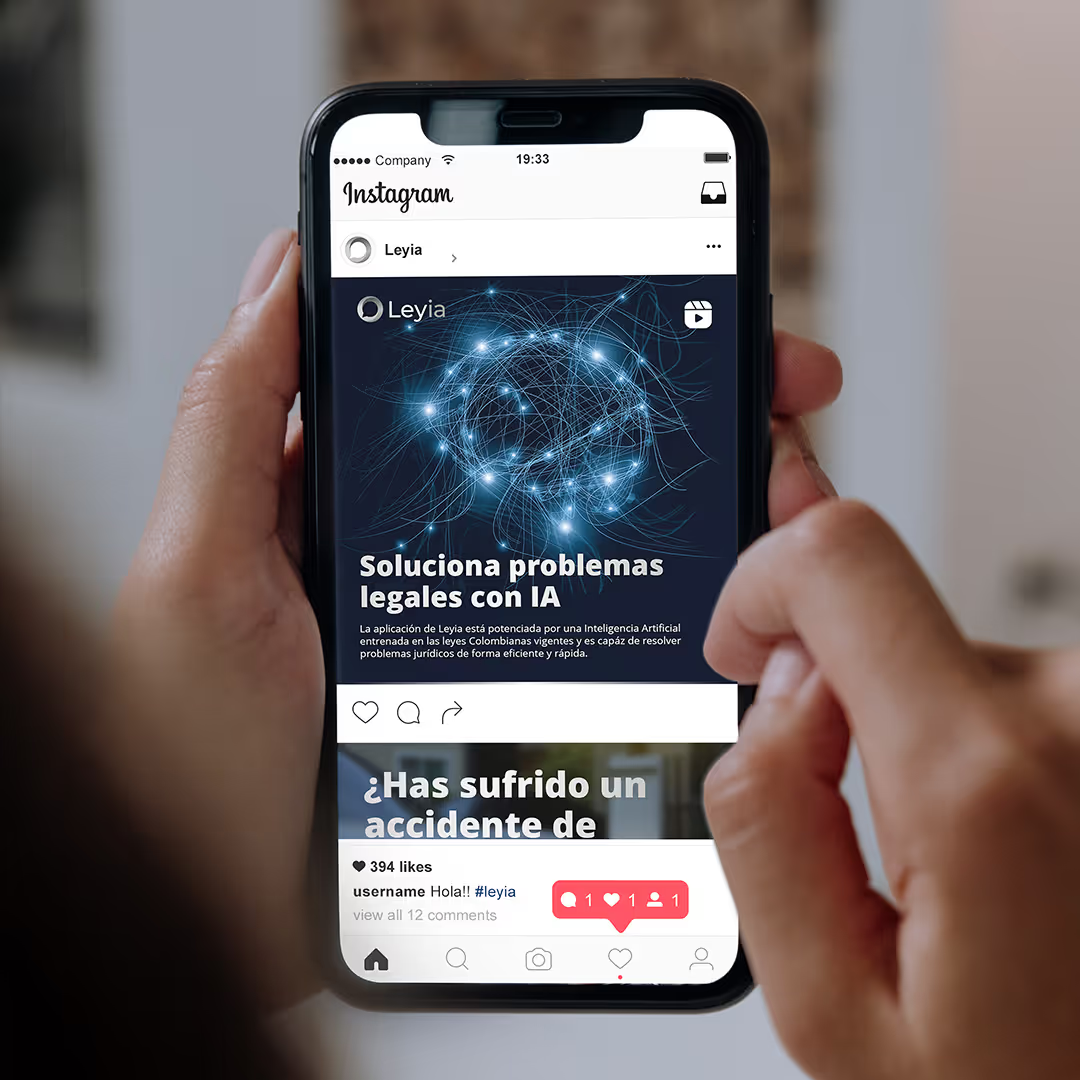
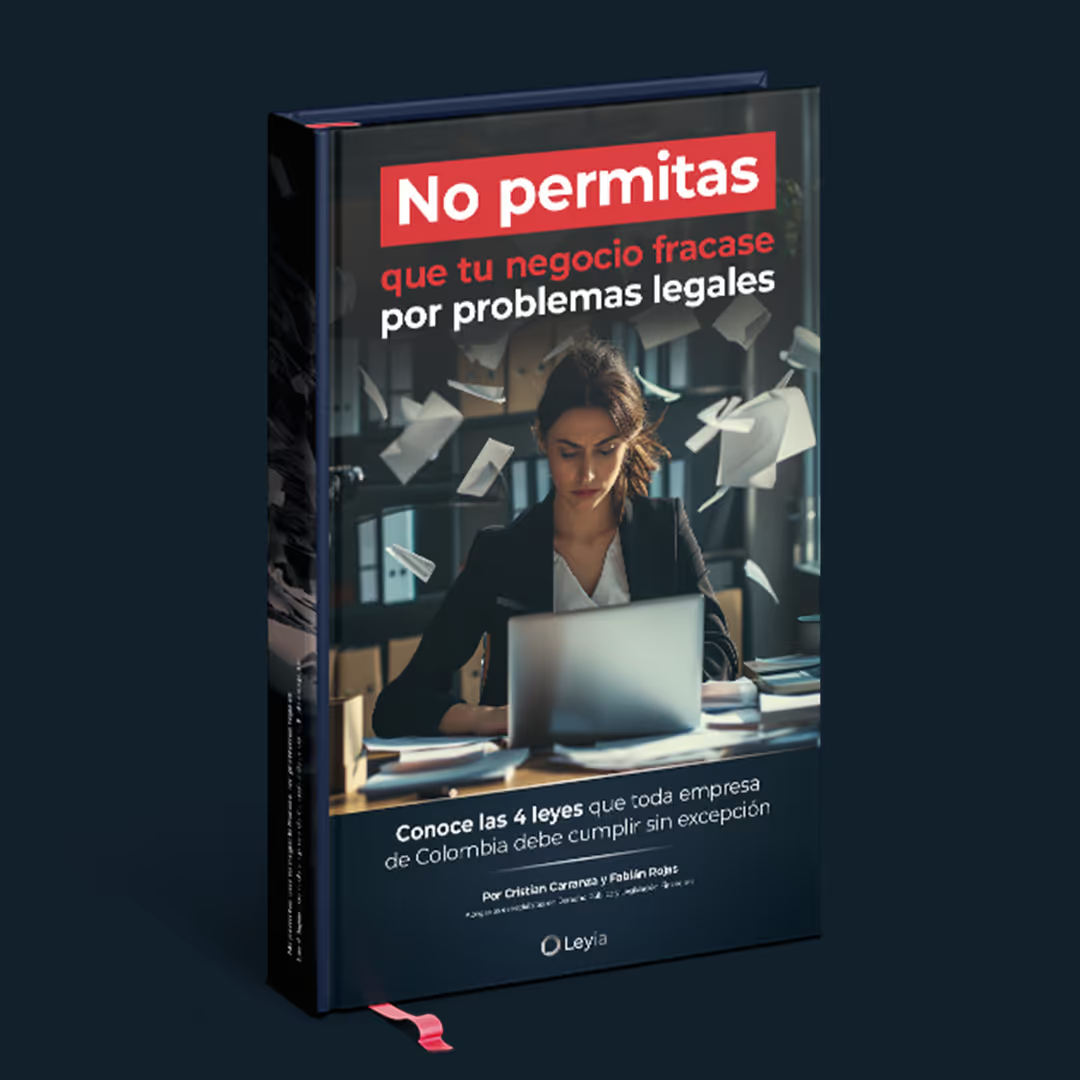
During this stage, I worked closely with the legal team to identify the key needs and goals for the launch. I then developed a comprehensive marketing plan and created both digital and printed materials to support the product’s release.


Key Achievements
Product Leadership: Strategy to Launch
Validated UX: Design Thinking & Testing
Brand Strategy: Market-Ready Identity
Web Development: Custom Webflow Build
Marketing Plan and Assets
Check out other projects



Get in Touch
Looking for a strategic partner for your design team? I’m available for interviews and discussions regarding UX/UI and Product Strategy roles.